At Archilogic, I took ownership of the Editor, a browser-based app for viewing and editing floor plans. My first year was about rebuilding its whole UI; my second was about replacing the data layer underneath it.
When I interviewed, my soon-to-be team lead Ben asked whether I preferred starting new projects or taking over existing ones and evolving them. Trying not to close any doors, I said it made no difference to me. After an onboarding assignment adding collision detection to movements in the Floor Plan Engine, and a few weeks building 2D drawing helpers largely on my own, I was assigned to the Editor. In other words: maintaining and evolving an existing product.
There was a lot of maintenance to do, along with technical debt and legacy features. Some of that is unavoidable in a very small team with significant turnover, but some of it came down to a lack of discipline. For example, there were barely any unit tests.
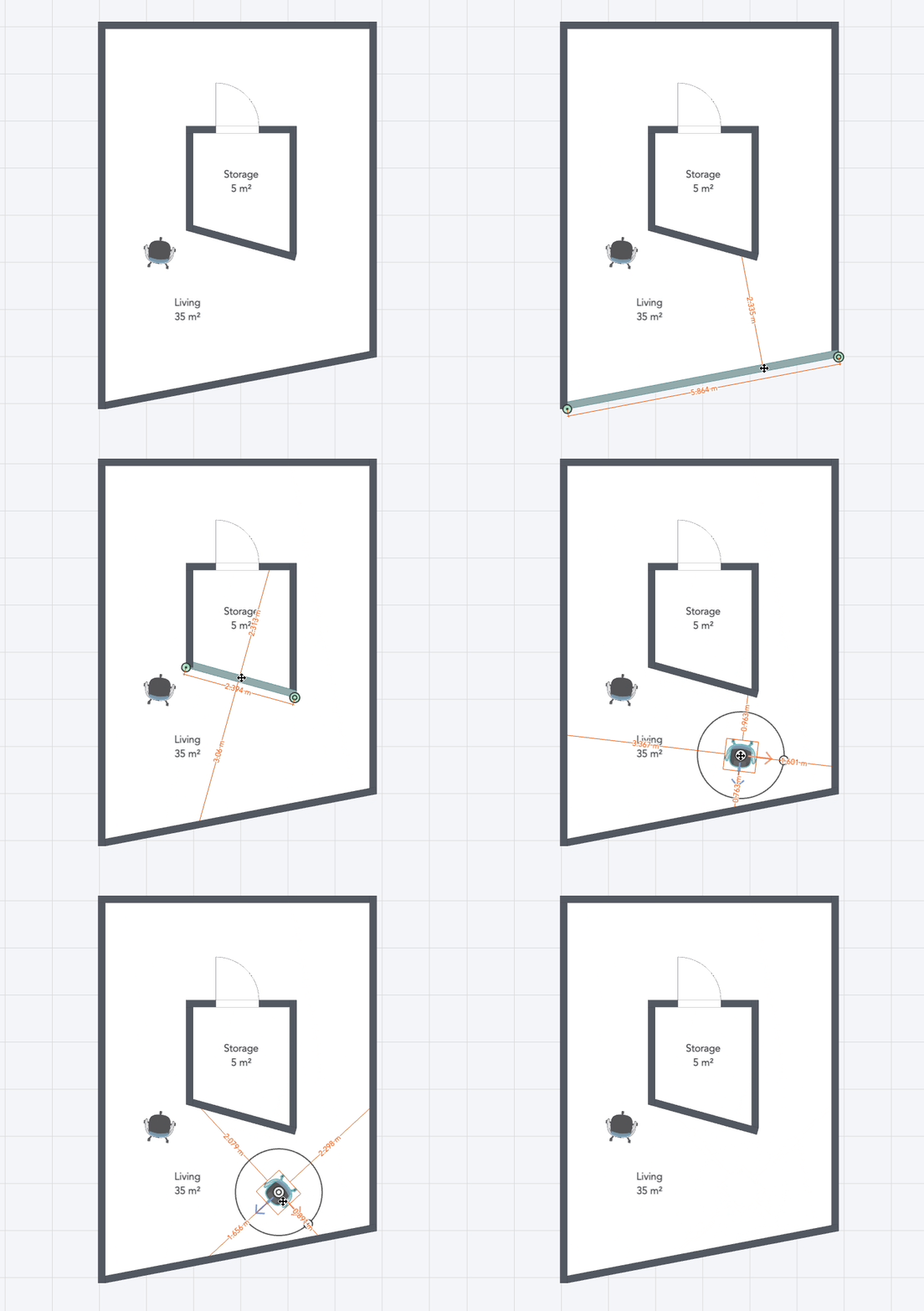
Year 1: a new Editor UI
Preparing the ground
Ben kicked off the first major chore in late 2021: migrating from Vue 2 to Vue 3. It took a couple of weeks, during which I also introduced Tailwind CSS to replace a whole set of layout components, and removed a legacy set of button components. All of this happened in the live Editor.
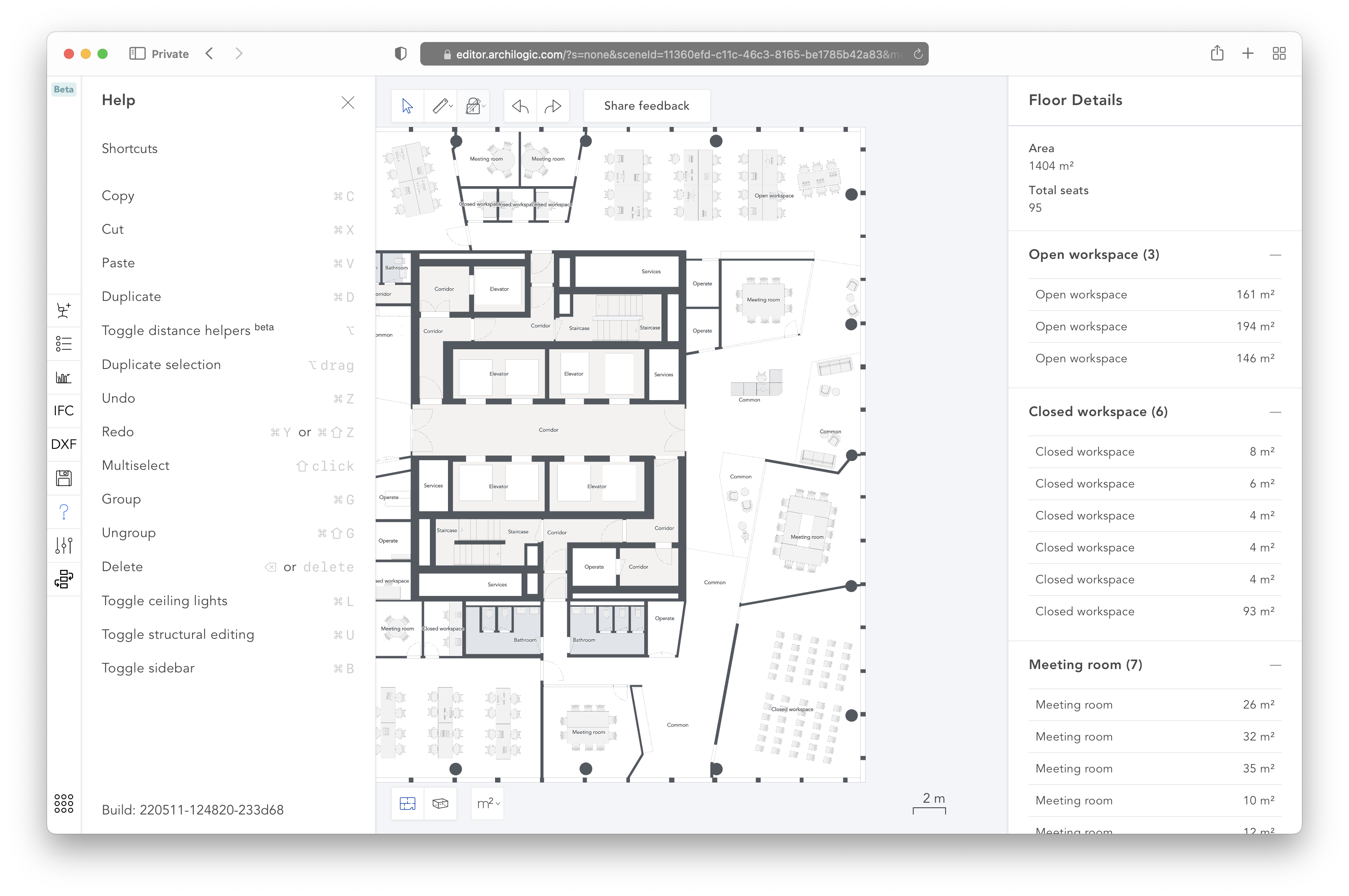
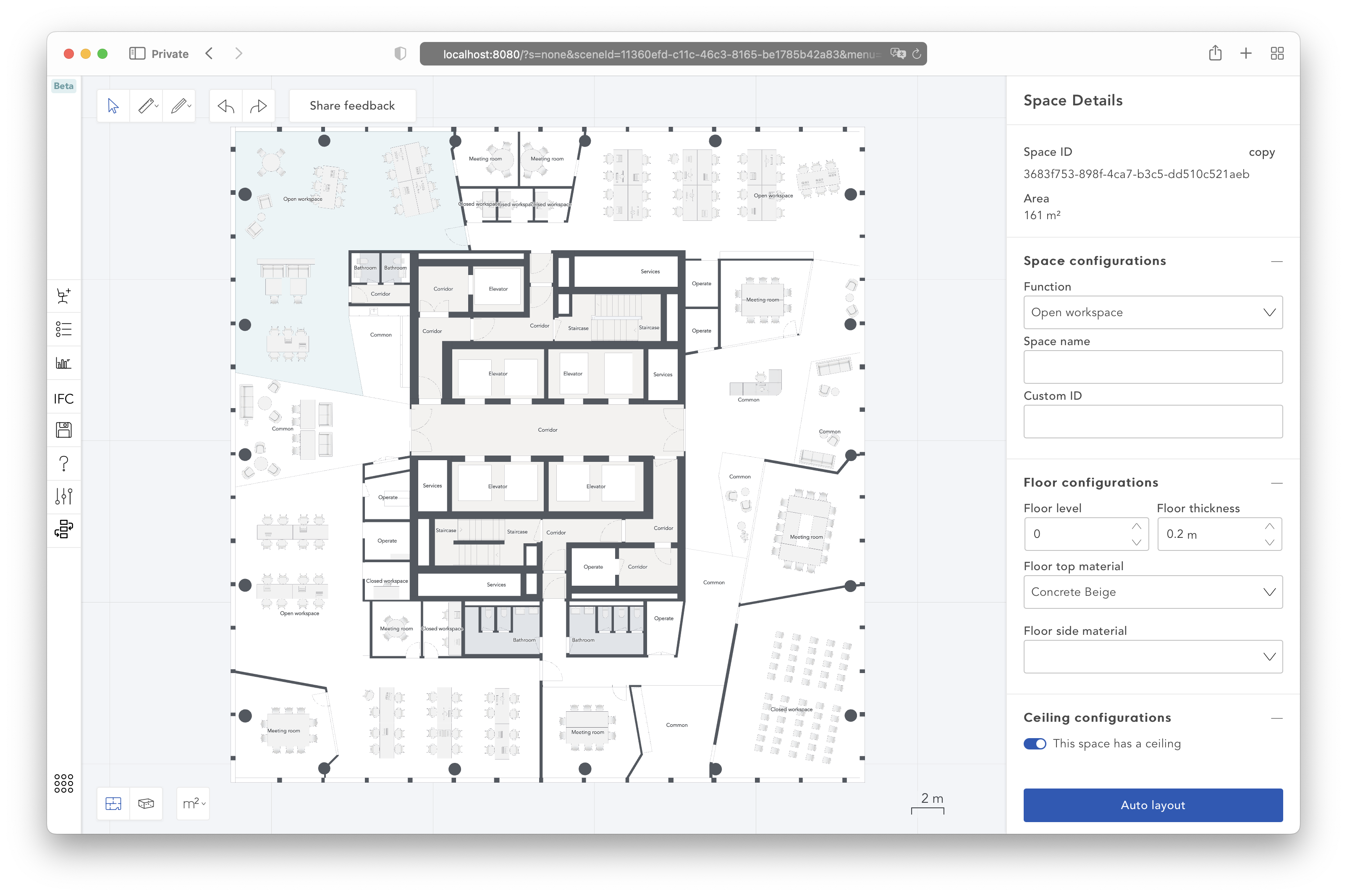
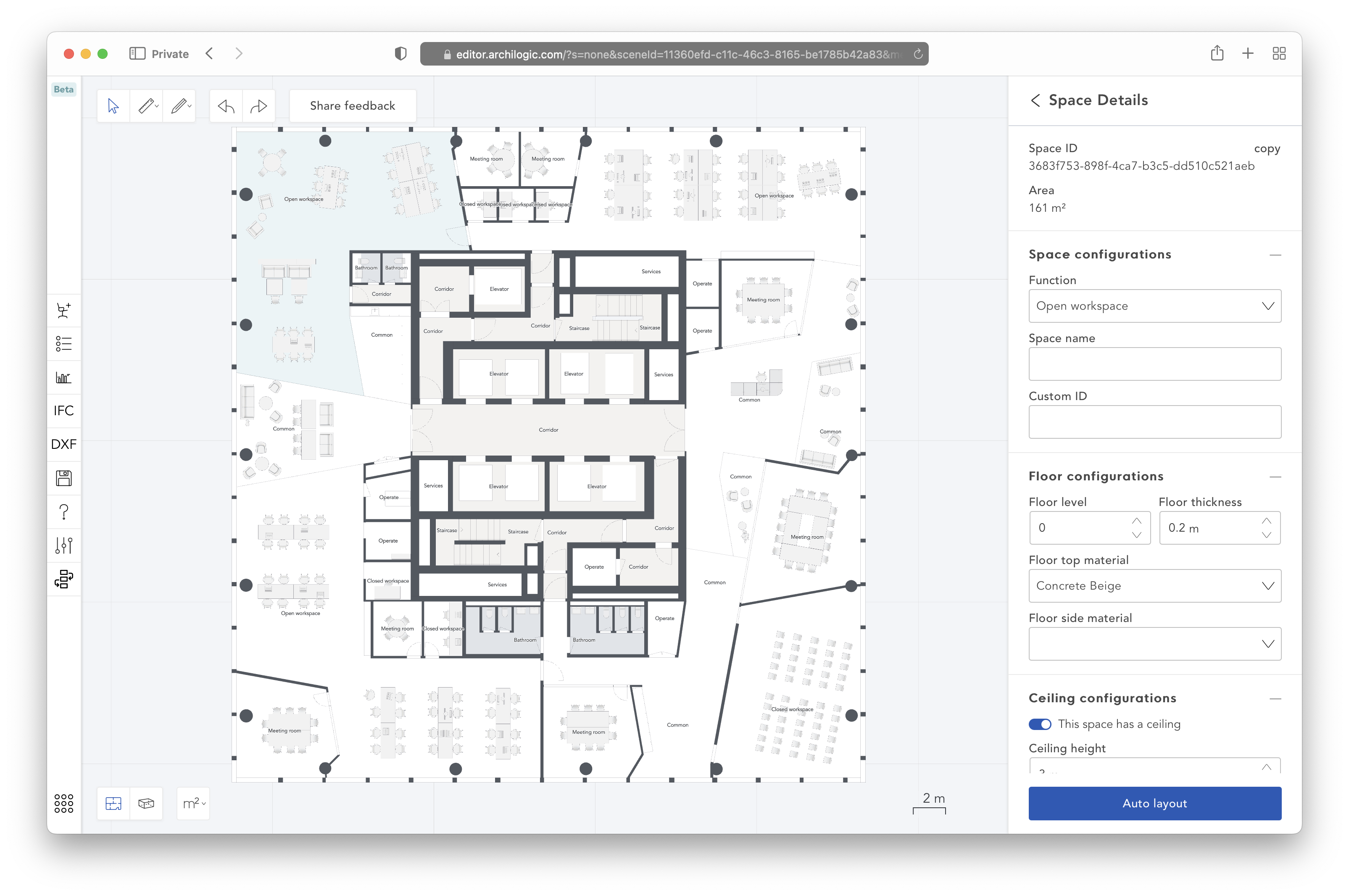
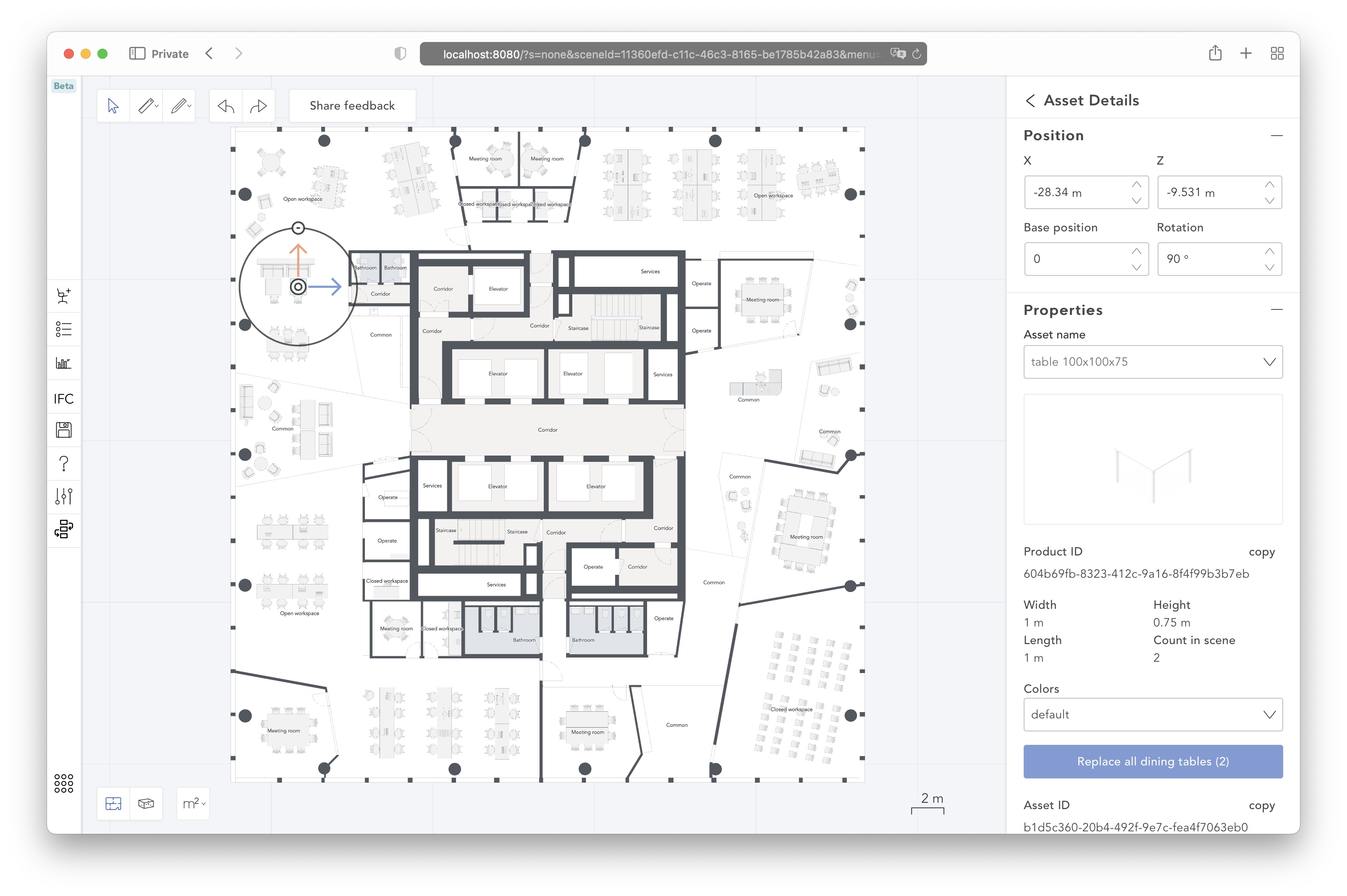
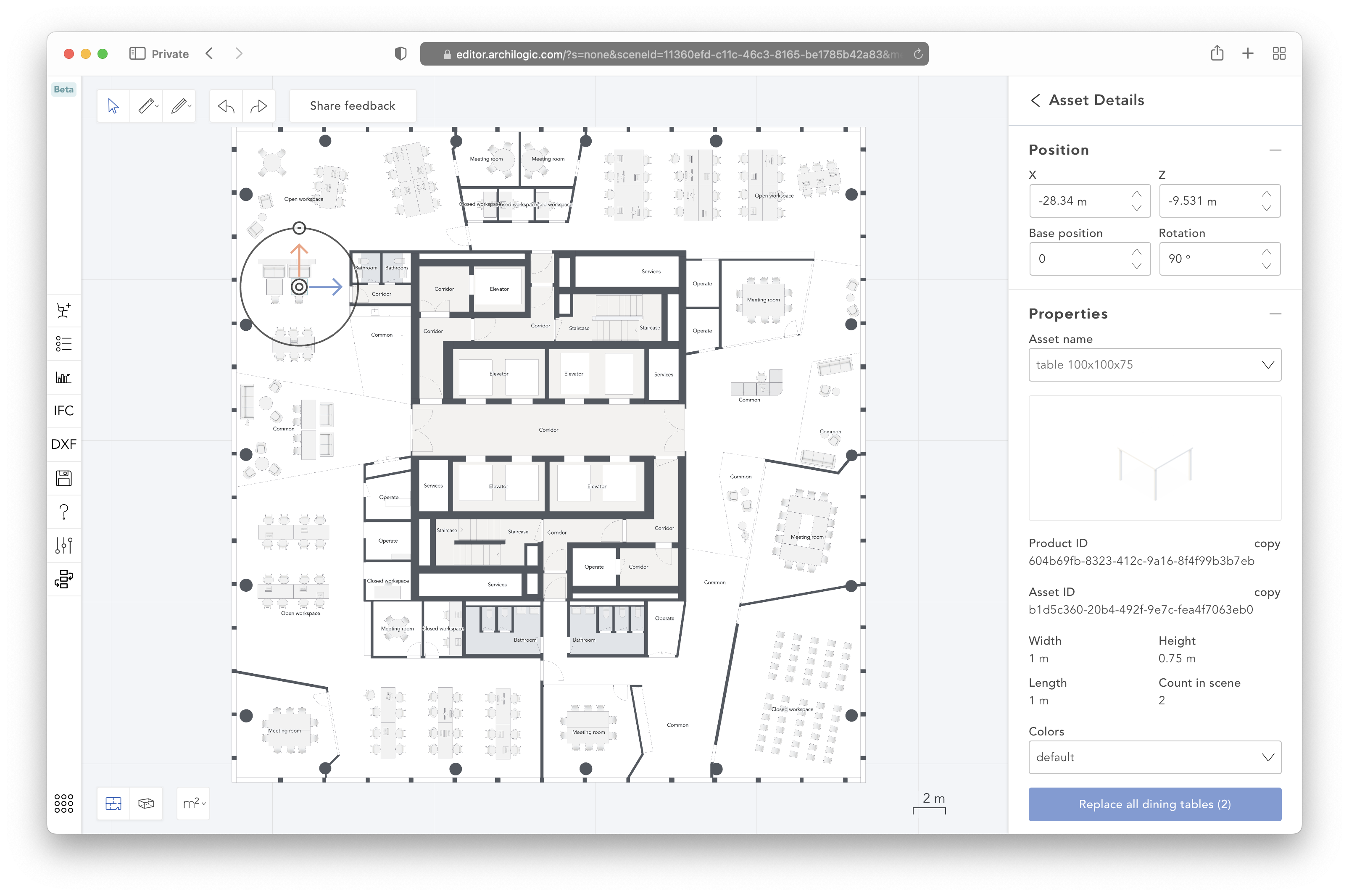
The new UI
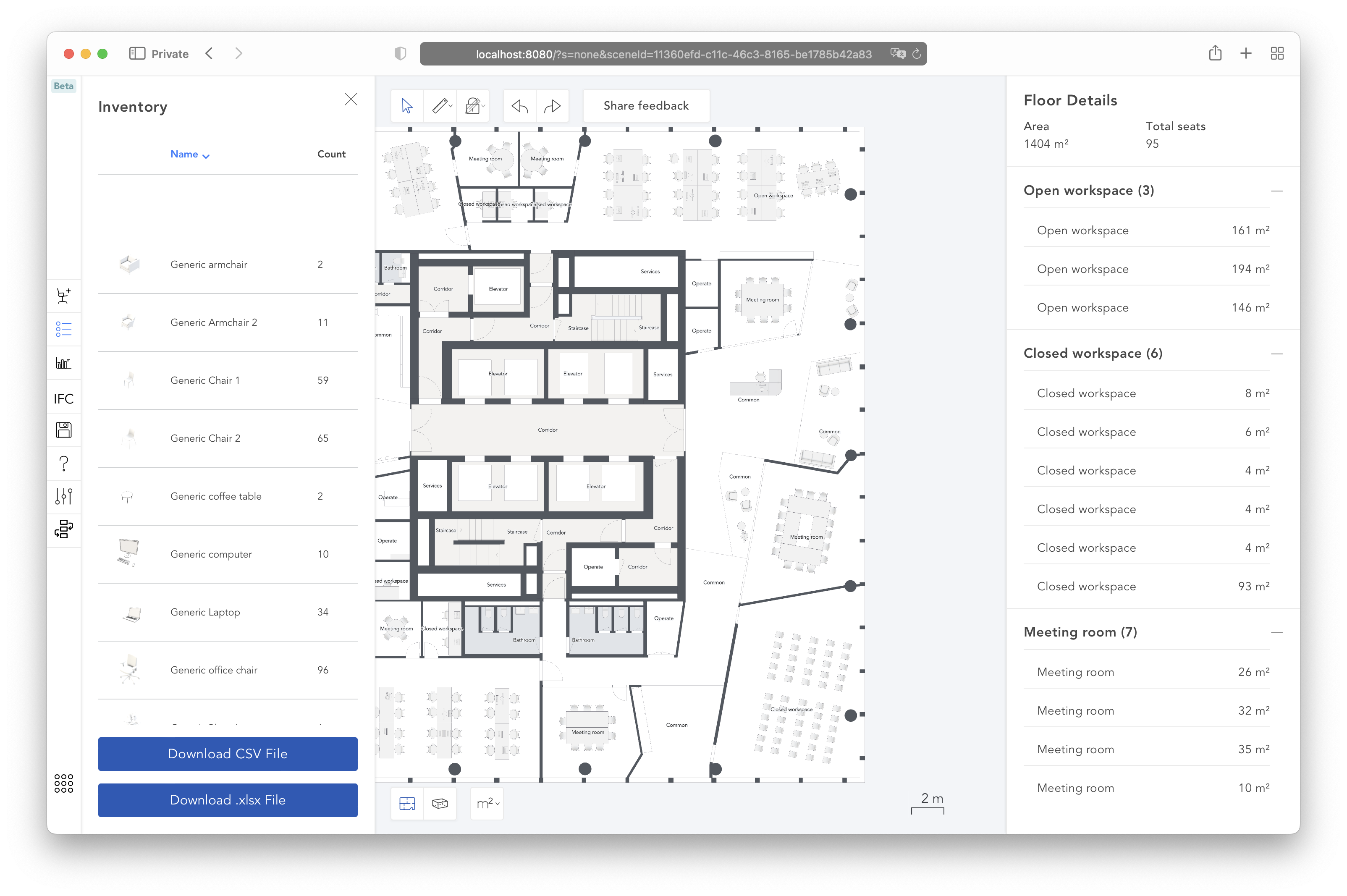
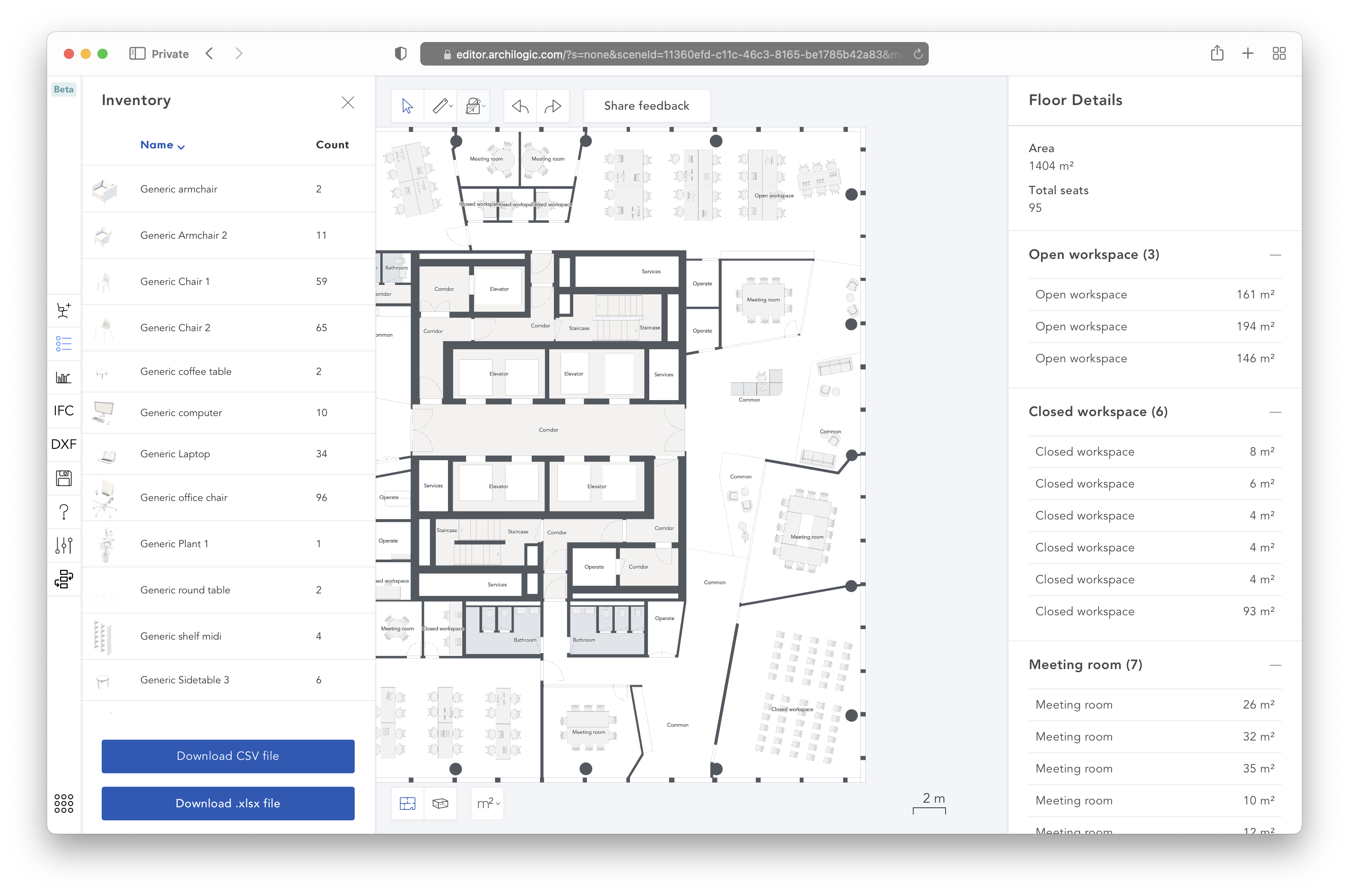
Next came a complete overhaul of the Editor UI, developed alongside the existing product for six months. First, I replaced the three design systems the Editor was using with the new design system built by Iana, and used it exclusively. Anyone who has done this knows it is no small task: typography, spacing, layout, buttons, selects, menus… every part of the UI has to be revisited.
In parallel, Roman was overhauling the Dashboard, the app for browsing floors and managing users, API tokens and preferences. That meant the Editor’s authentication flow had to change as well.
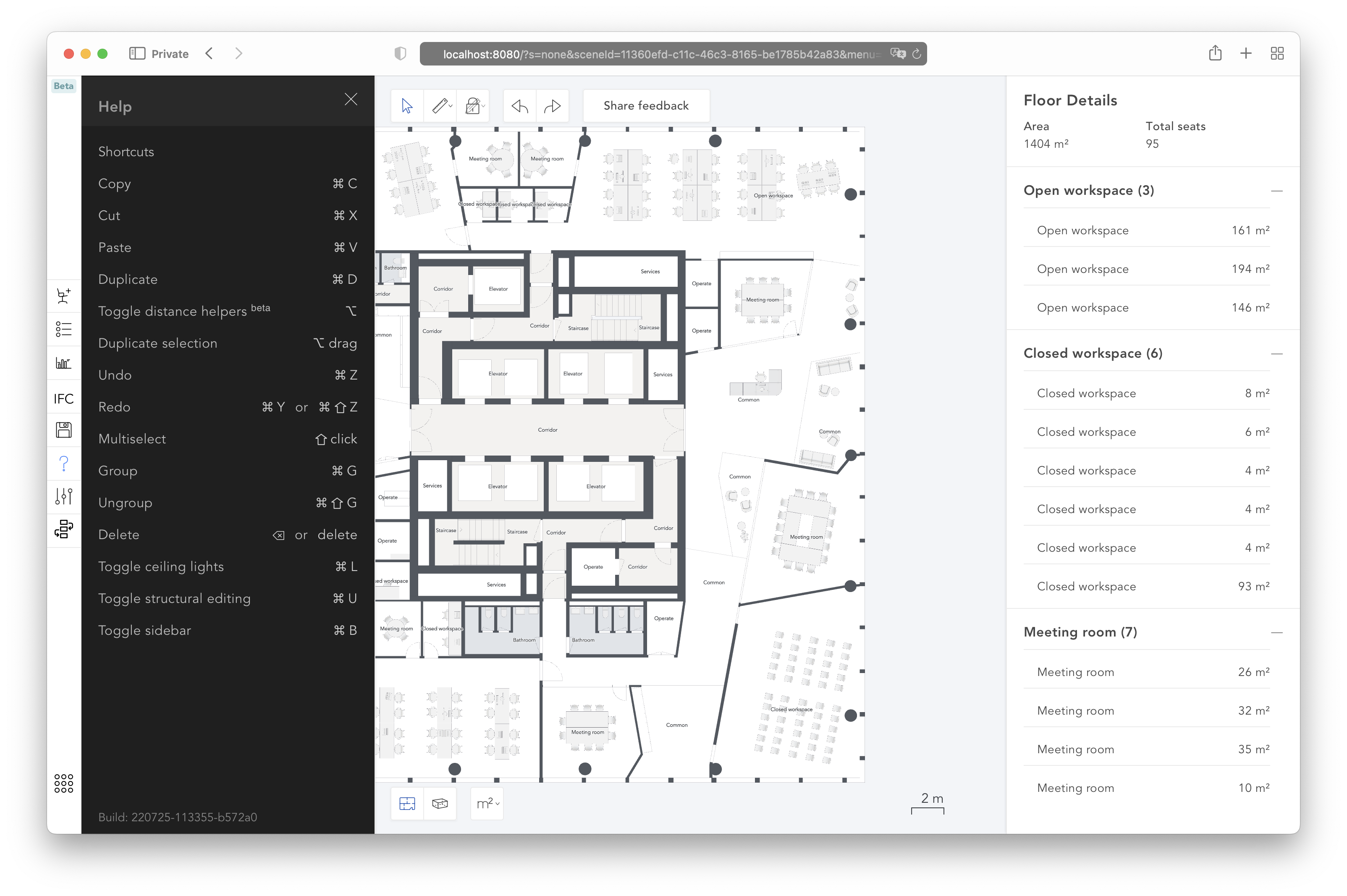
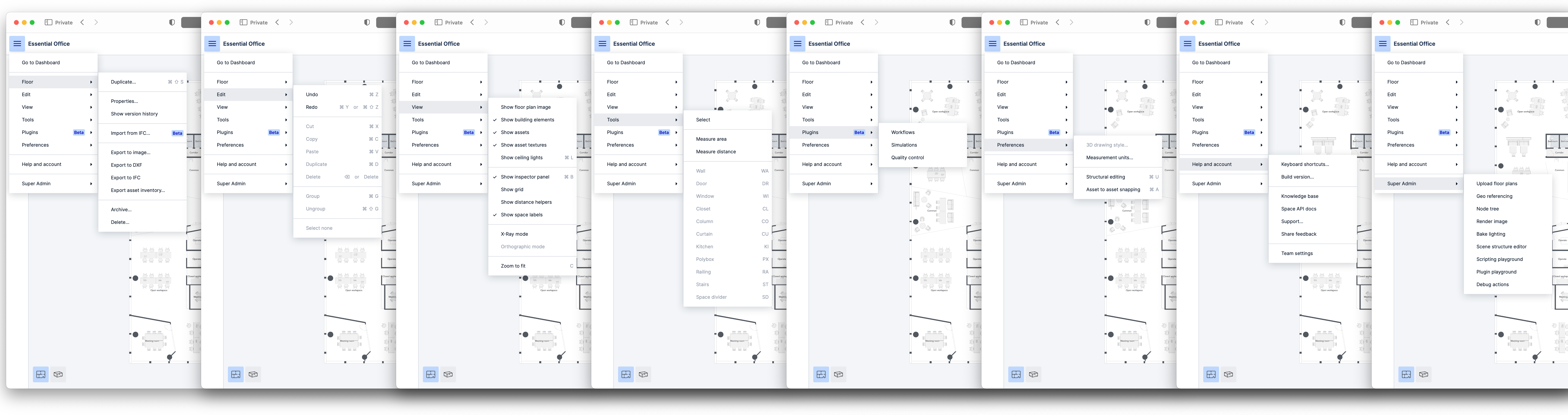
With the new design system in place, I could build UI elements that did not exist before, the most prominent being a main menu. Some actions could already be triggered either from the context menu or from the inspector, with duplicated code behind them. Adding a third entry point made it clear that the code should be centralized: what each action does, when it is allowed (permissions, restrictions of the customer’s subscription plan, and so on) and which keyboard shortcut triggers it.
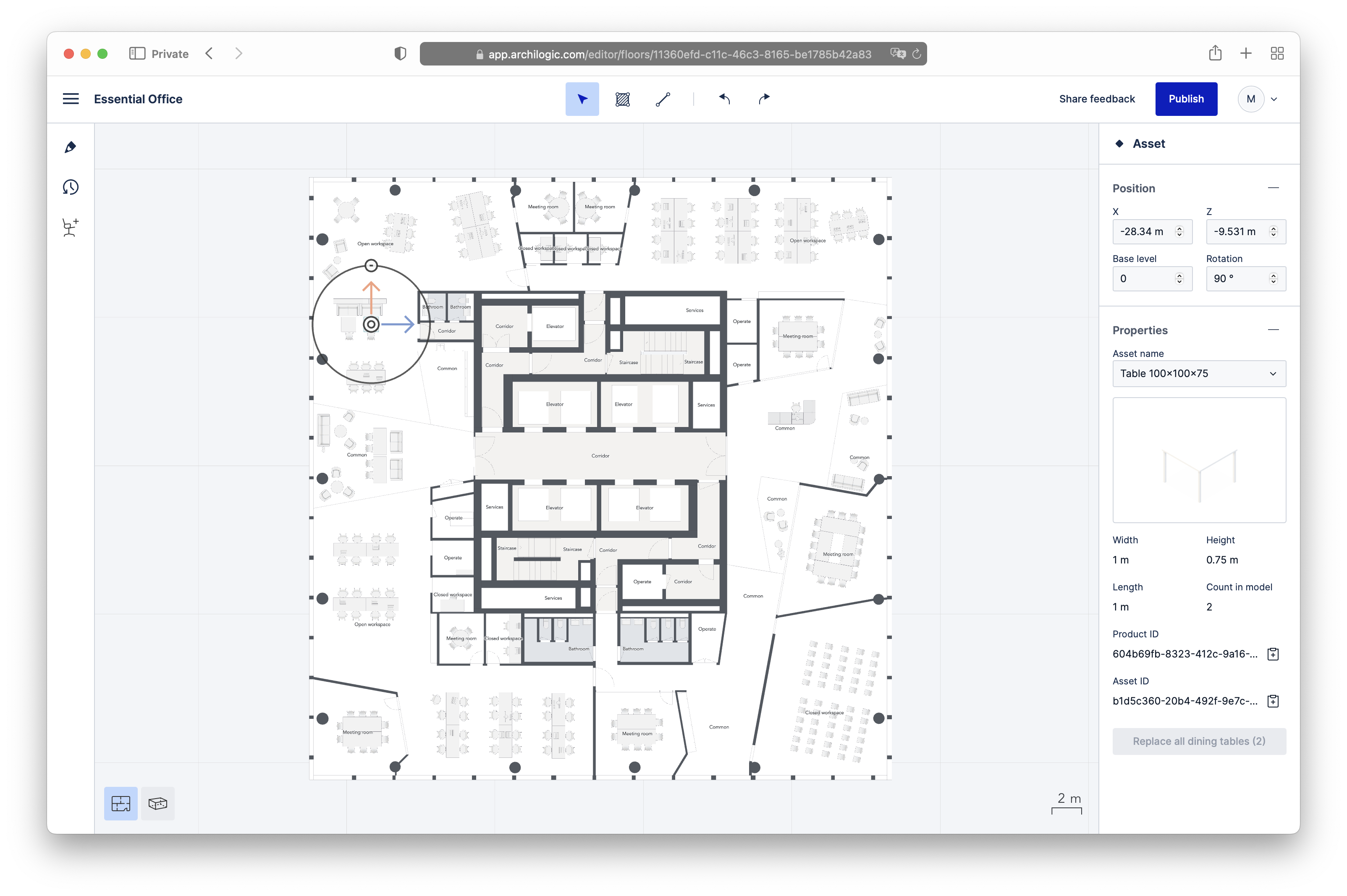
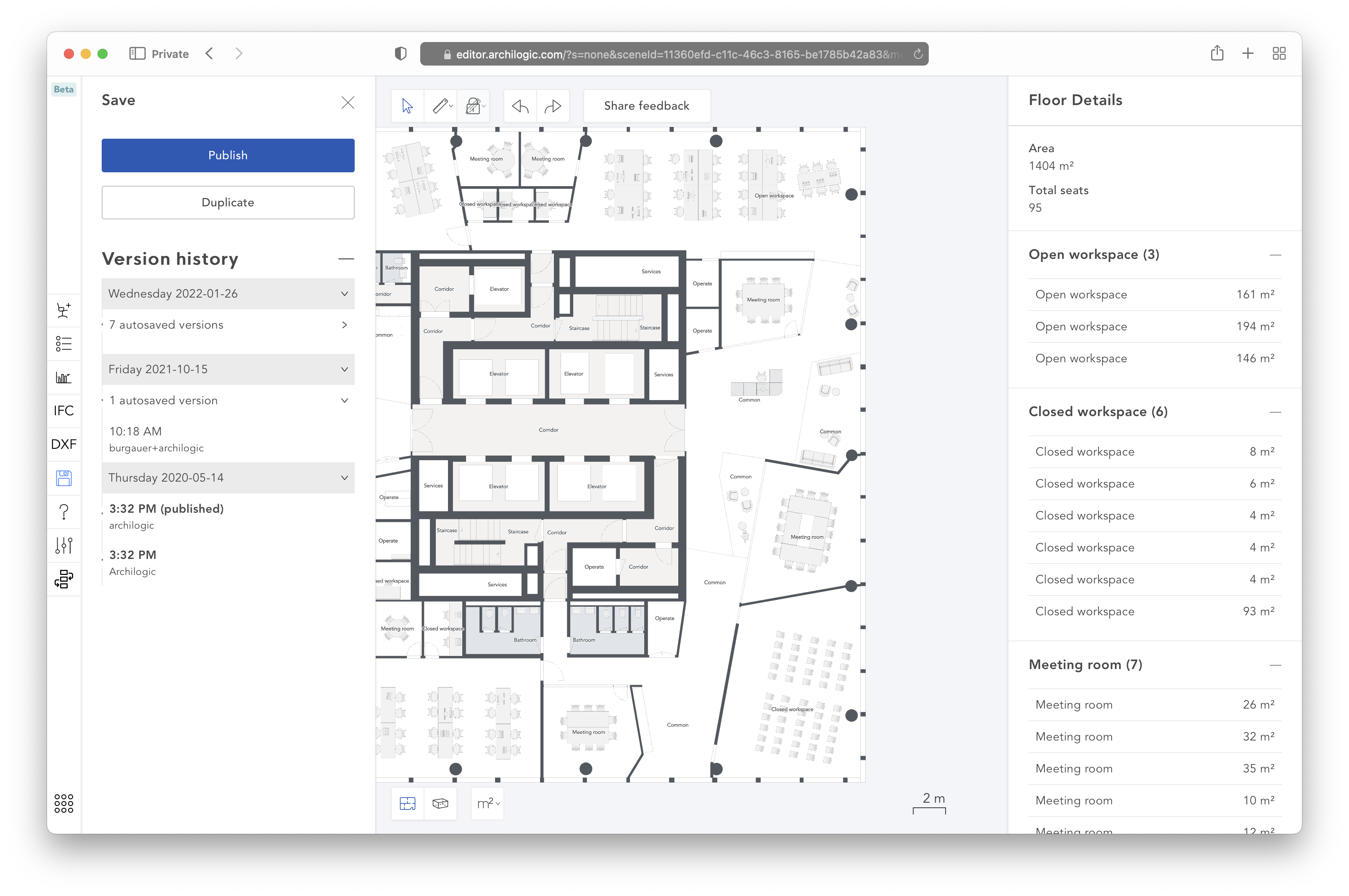
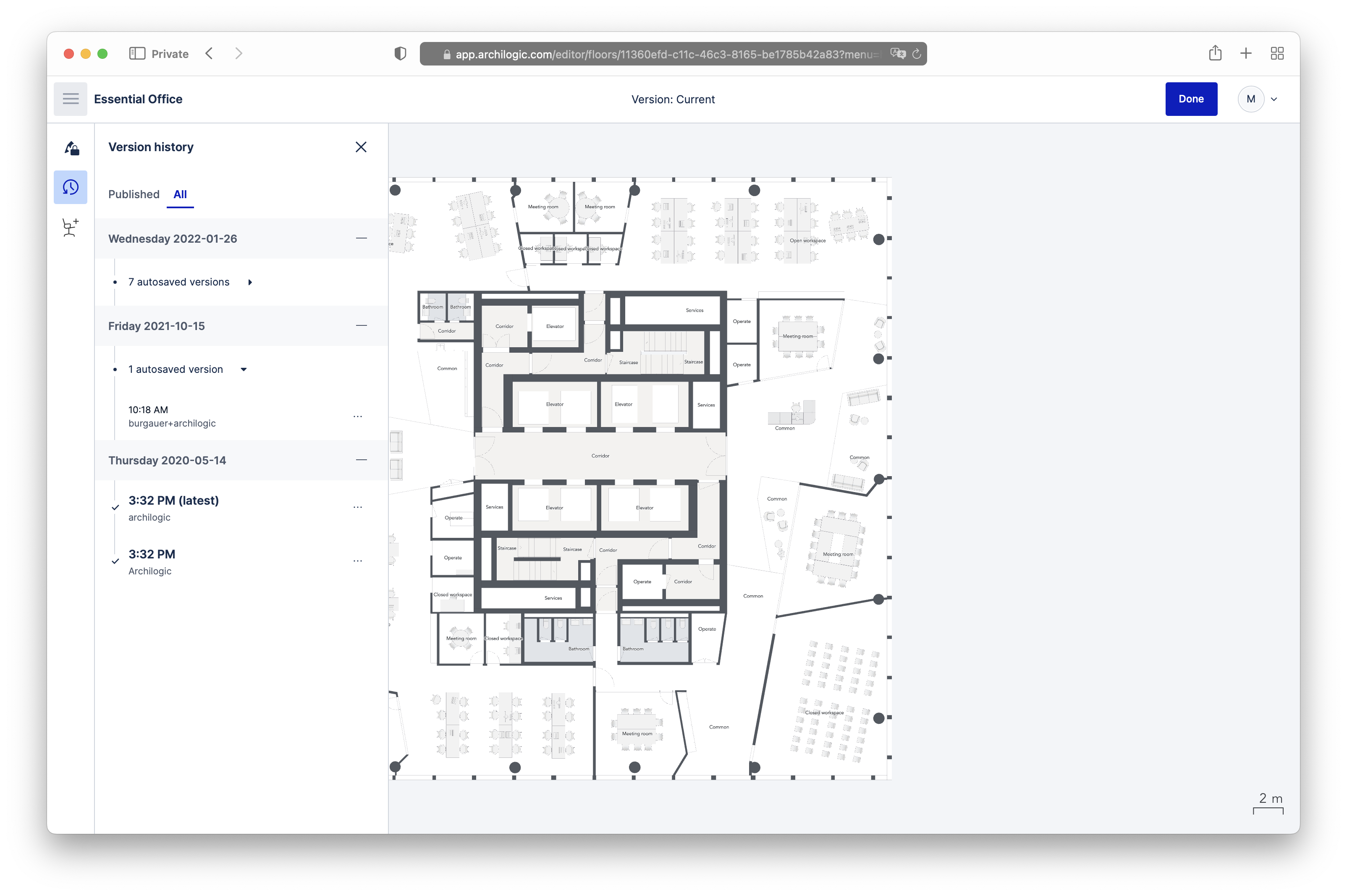
All in all, this came to 226 commits, 412 changed files and about 15,000 changed lines (inflated somewhat by package-lock.json). It was quietly released to Archilogic users in early August 2022. Here are the same four screens again, before and after:
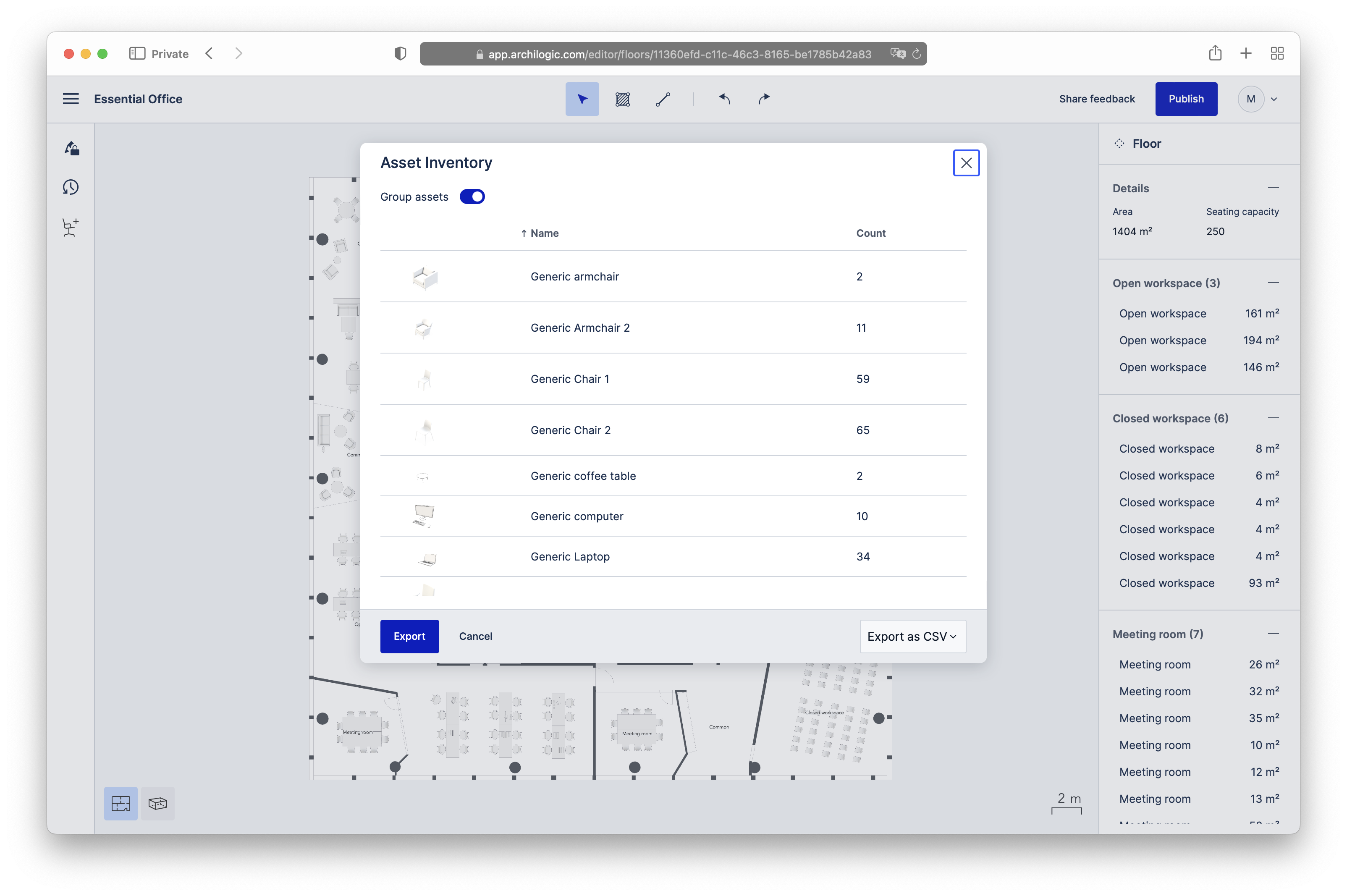
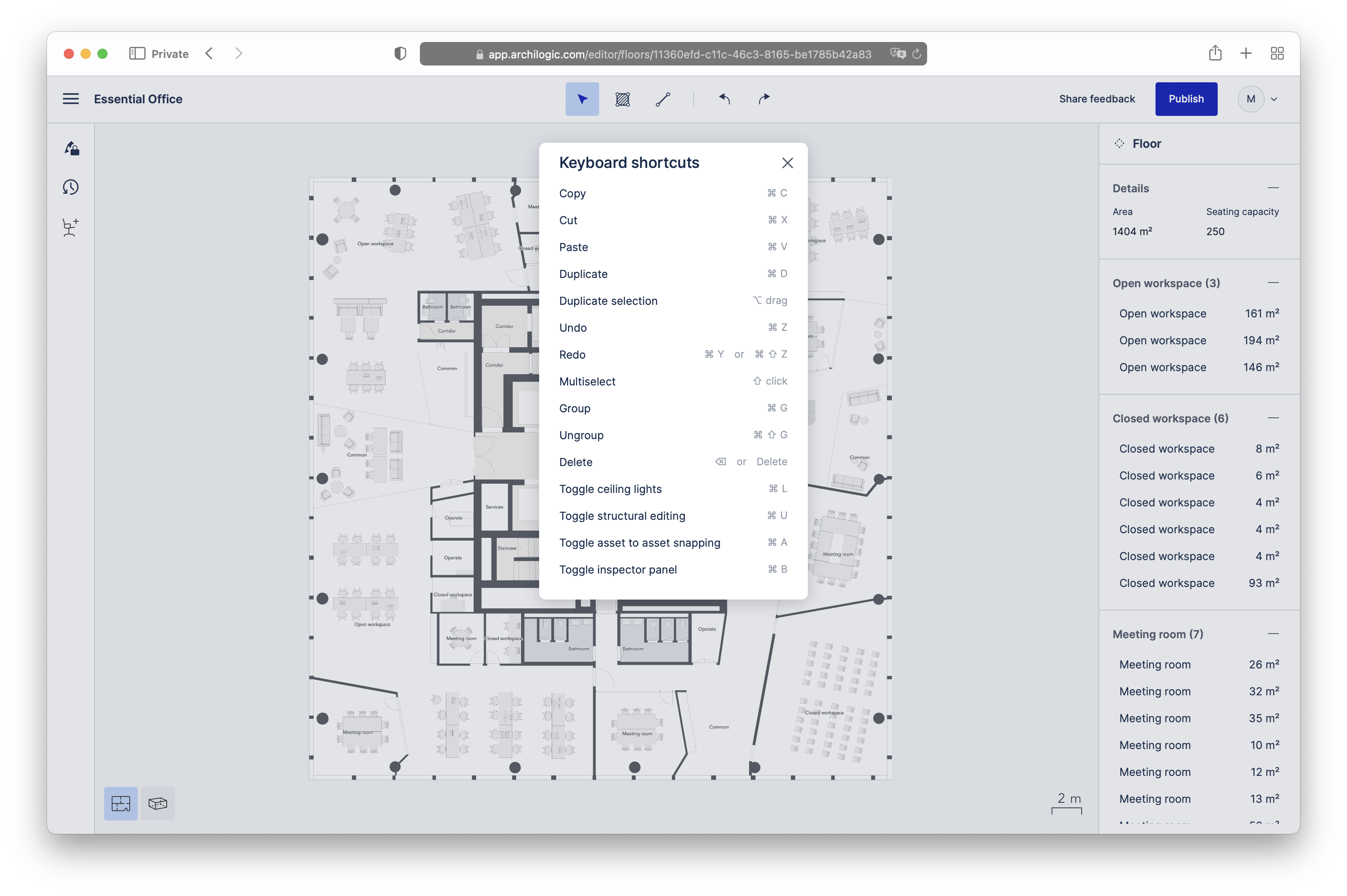
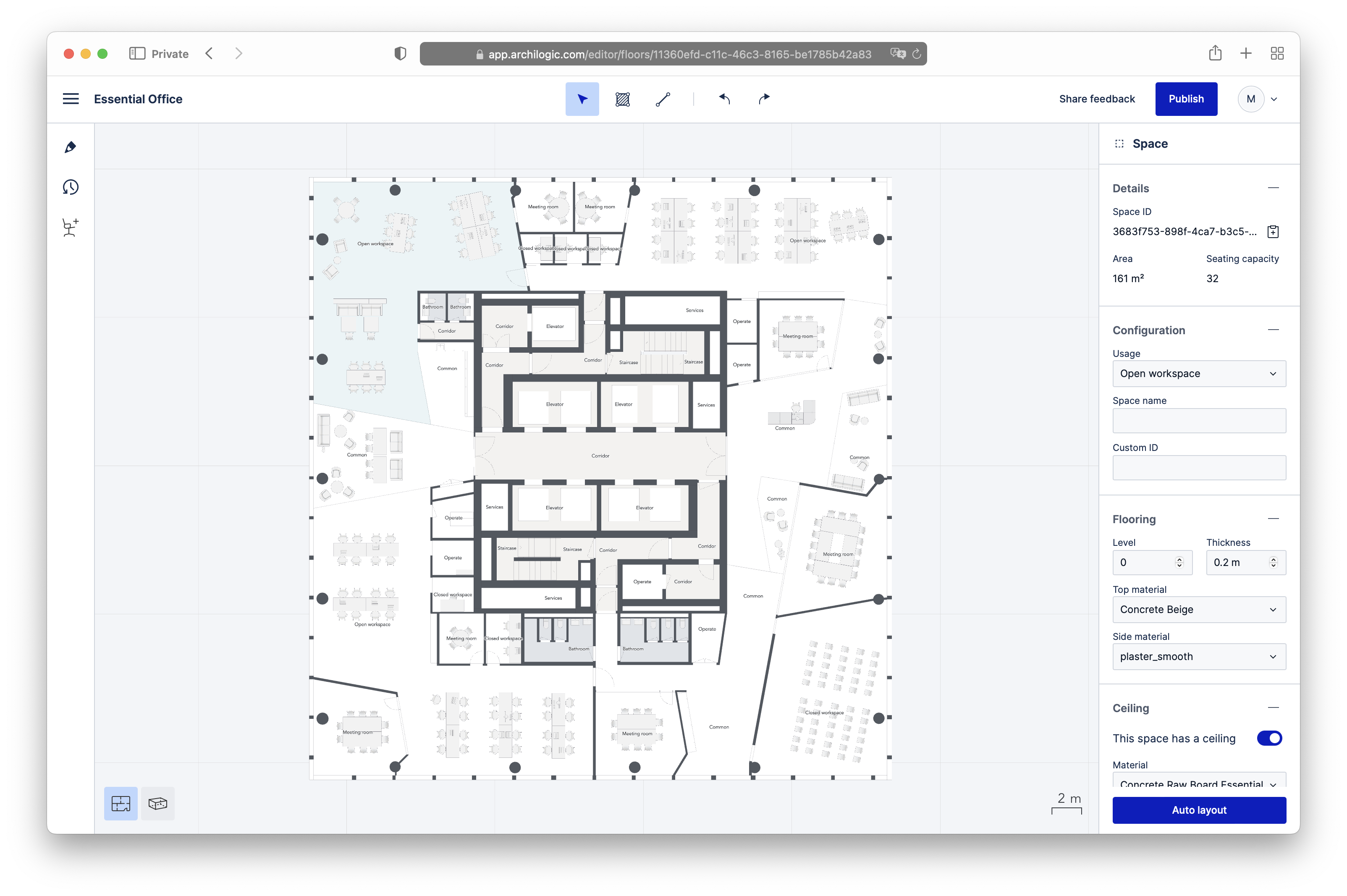
Here is the complete main menu. Entries are hidden or disabled depending on the user’s role and permissions and on the subscription tier, and some are disabled when their action is not currently possible, for example when it requires a selection and nothing is selected.
A few other notable changes:
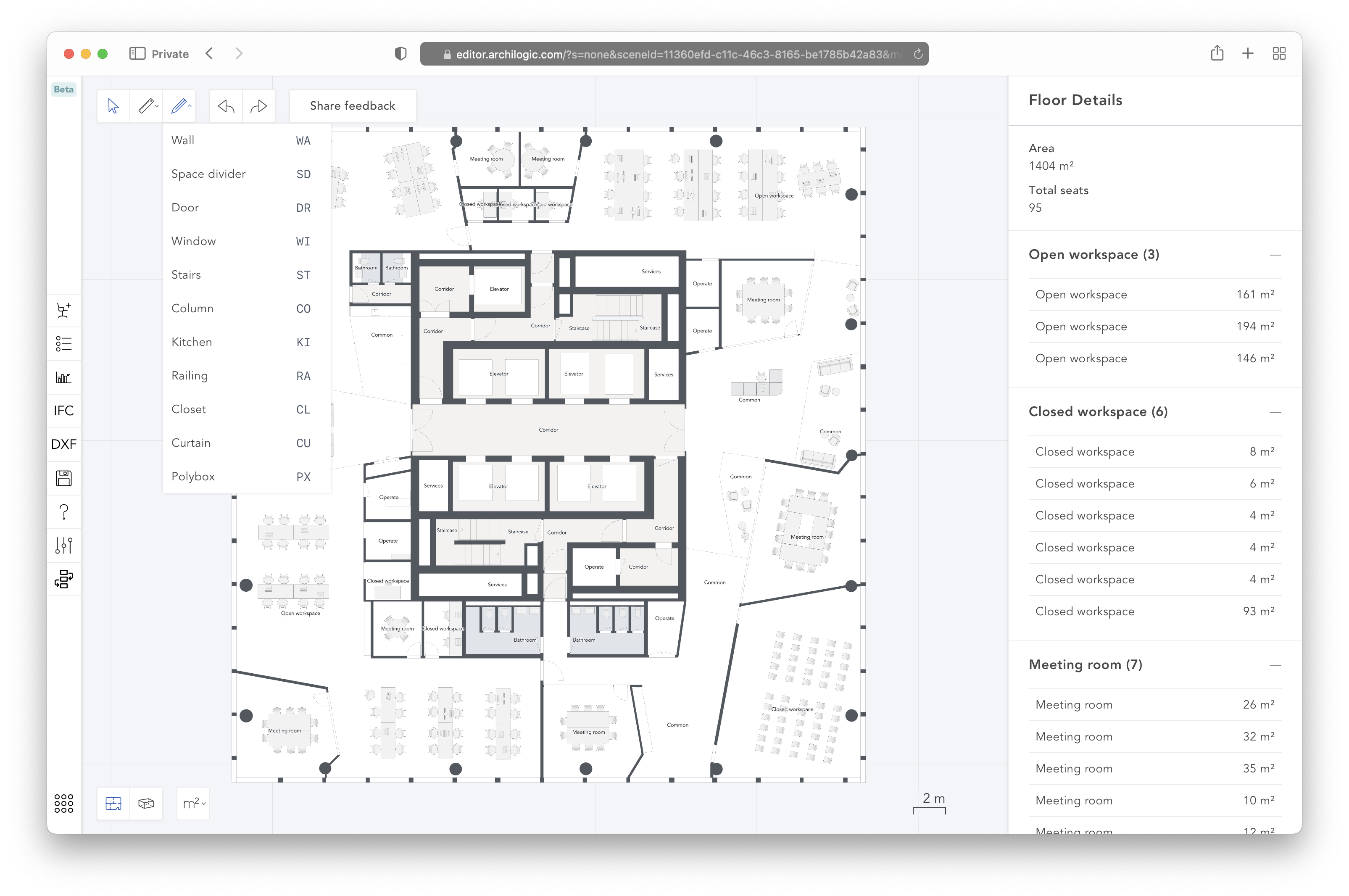
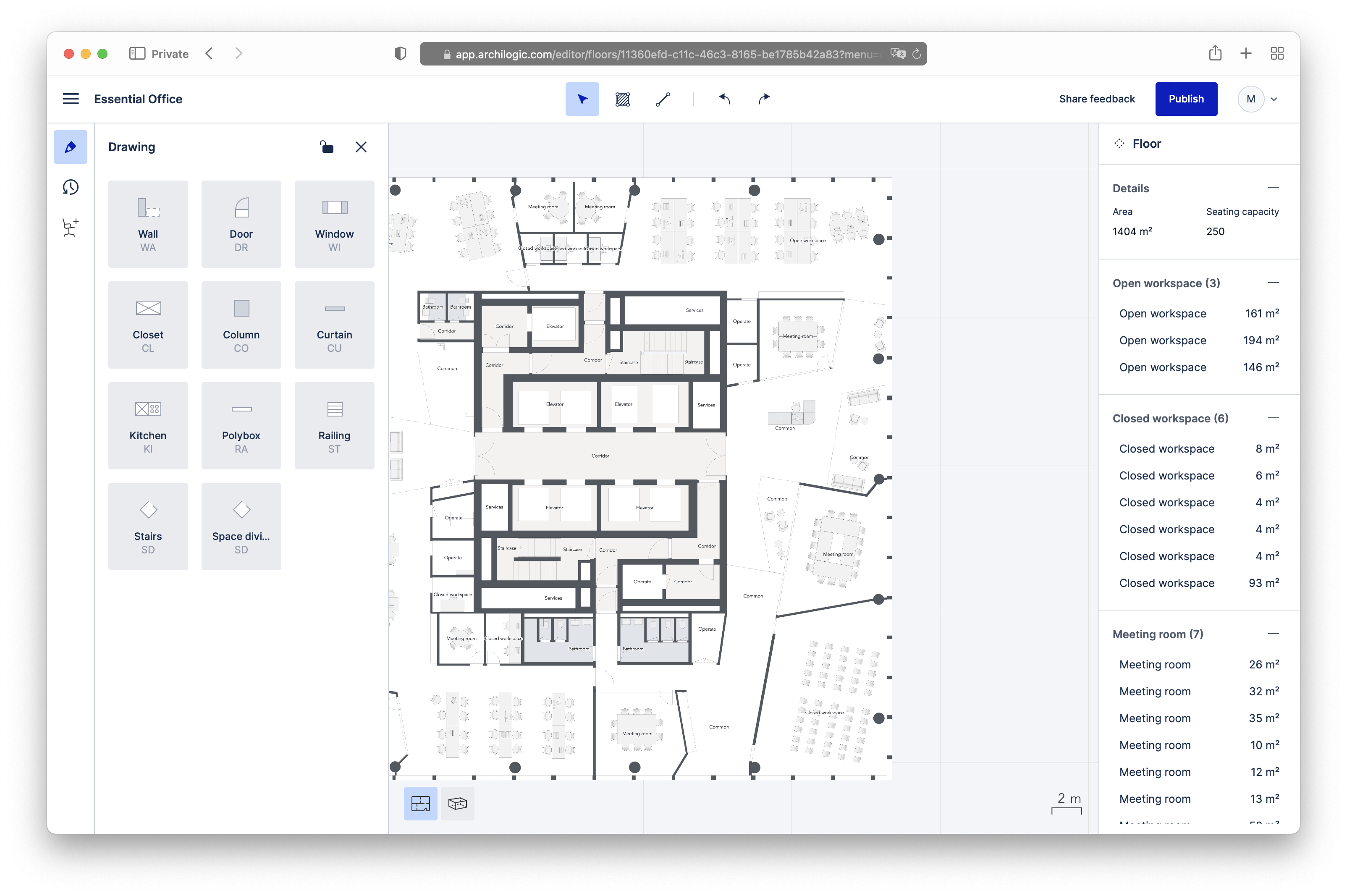
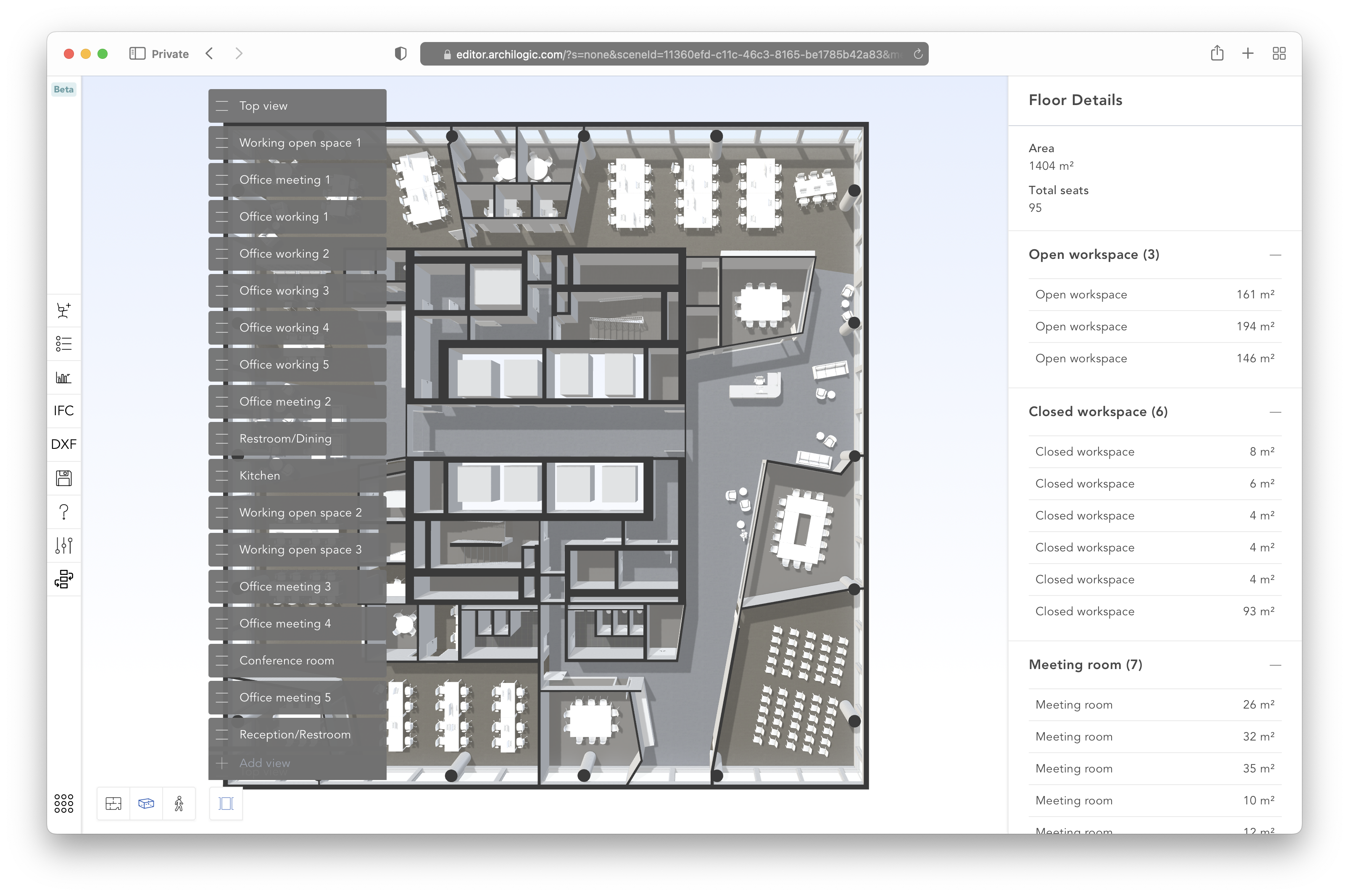
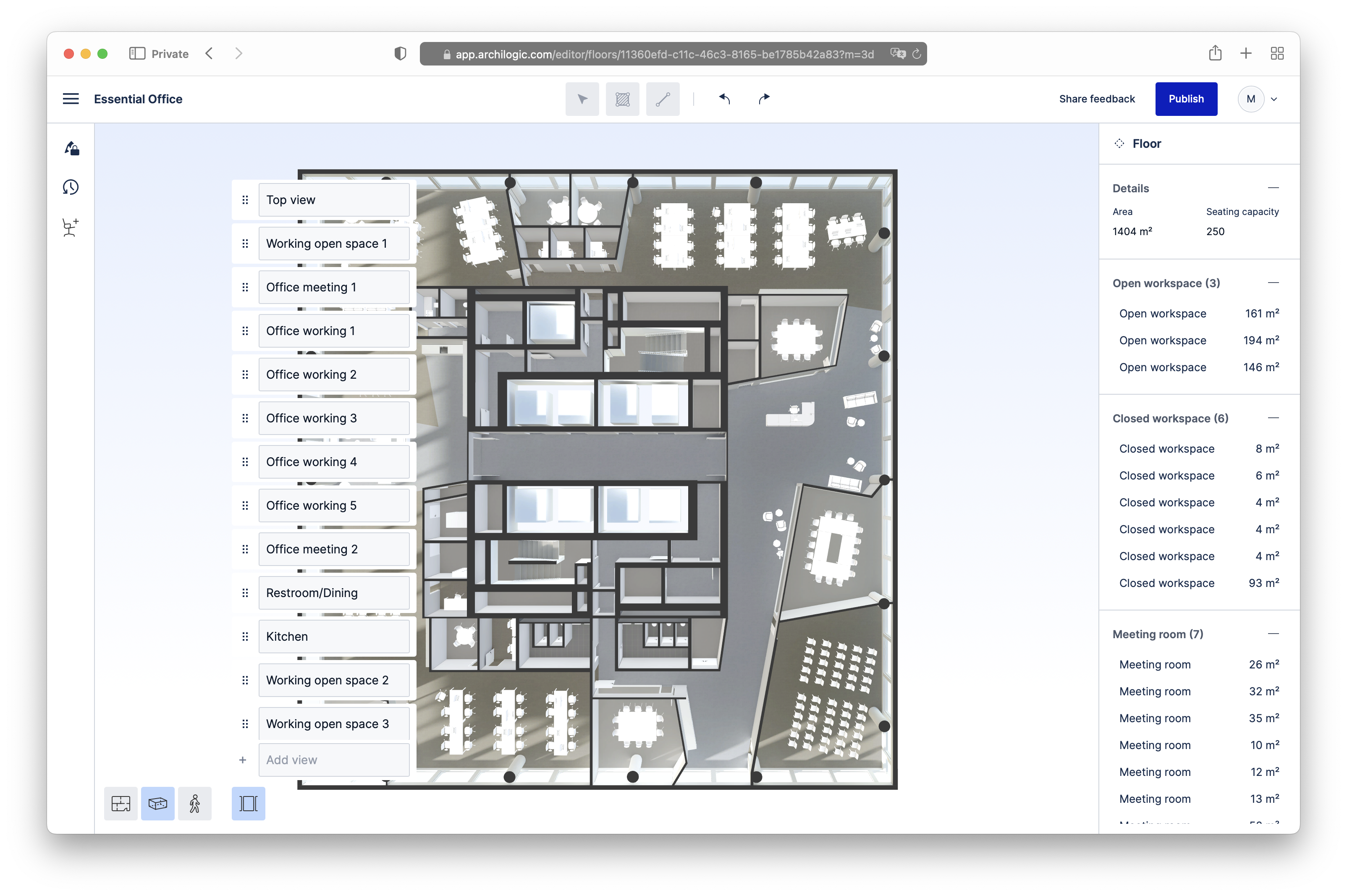
Alongside the UI work, I shipped new features such as asset-to-asset snapping, which aligns the bounding boxes of furniture precisely, and many improvements under the hood.
What I learned
A new job and a new codebase are always an opportunity to learn:
- Vue. At Bestmile, we used React. I see no clear winner: a framework is a framework.
- Vite for building the apps.
- TypeScript. I used to enjoy the freedom of untyped code; I now think types make code safer. That said, a type system grafted onto an untyped language has its limits, with awkward syntax and escape hatches, and I hope a truly typed language becomes common in frontend development one day.
- Trigonometry and linear algebra, which I had to brush up on.
- Heavy keyboard and mouse interactions: the Editor was the first app I worked on that relies on them so much.
Year 2: the Space Graph data format
An app can be seen as three layers: data, application logic, and UI. For the Editor, it looks roughly like this:
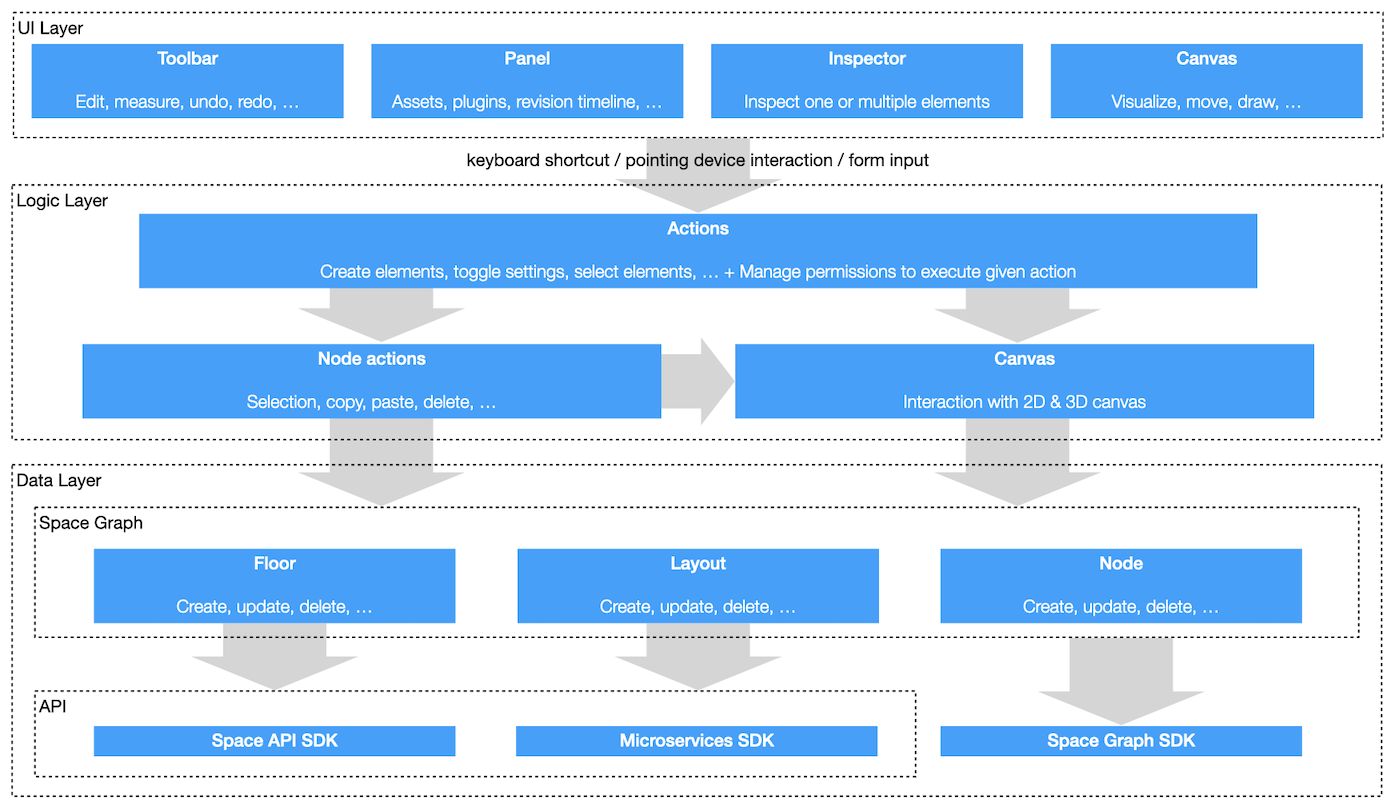
After a first year spent refreshing the UI, my second year was about swapping out the data layer and the application layer that was tightly coupled to it.
Preparing the ground, again
To ease the transition between the old and new data formats, the core of the app had to be refactored to hide how the data is actually handled: how a floor is loaded, how an element is selected, modified, copied or deleted, how the floor is saved through the API, and so on. We introduced the concept of an action, defined by:
- the conditions under which it can run: some actions only work in 2D, some not offline, some only for certain user roles
- what it does: update the canvas, change the app state, modify elements
- an optional keyboard shortcut
Users trigger actions through form inputs, keyboard shortcuts, the context menu or buttons. Only 2D editing is possible for now, but because interactions with the canvas are abstracted, everything is in place to add 3D editing later.
The new data format
For years, floors were stored in a somewhat messy format called Scene Structure. The new format is much more structured: spaces are defined by edges, which are defined by vertices. Vertices and edges form a graph, hence the name of the new format: Space Graph.
Take a simple space, a room with four walls, a door, a desk and a chair:
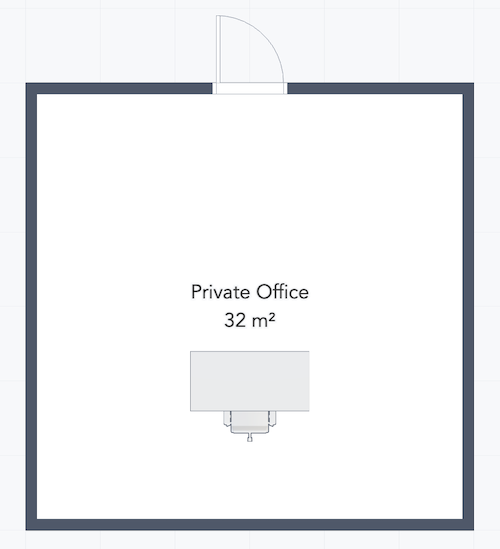
Here is the same room in Scene Structure and in Space Graph:
{
  "v": "2.1",
  "x": 0,
  "y": 0,
  "z": 0,
  "id": "cf336998-e7e4-4f11-ae42-20125ca94c26",
  "ry": 0,
  "type": "plan",
  "class": [],
  "floorArea": 32.5,
  "modelDisplayName": "New floor",
  "children": [
    {
      "x": 0,
      "y": 0,
      "z": 0,
      "id": "07491751-c03b-496e-adad-24b99ffa2185",
      "ry": 0,
      "type": "level",
      "children": [
        {
          "h": 0.2,
          "x": 0,
          "y": 0,
          "z": 0,
          "id": "43b8dceb-56c8-4170-ba4f-650f8f8de0a8",
          "ry": 0,
          "type": "polyfloor",
          "usage": "Private office",
          "polygon": [
            [
              5.85,
              0.15
            ],
            [
              0.15,
              0.15
            ],
            [
              0.15,
              5.85
            ],
            [
              5.85,
              5.85
            ]
          ],
          "hCeiling": 3,
          "materials": {
            "top": "basic-floor"
          },
          "hasCeiling": false,
          "polygonHoles": [],
          "children": []
        },
        {
          "h": 3,
          "l": 6,
          "w": 0.15,
          "x": 0.075,
          "y": 0,
          "z": 0,
          "id": "a2b416cc-b45c-4e4b-ab02-b6ea8b7a86a6",
          "ry": -90,
          "type": "wall",
          "materials": {
            "top": {
              "colorDiffuse": [
                0.12549019607843137,
                0.12549019607843137,
                0.12549019607843137
              ]
            },
            "back": "basic-wall",
            "front": "basic-wall"
          },
          "baseHeight": 0,
          "backHasBase": false,
          "controlLine": "center",
          "frontHasBase": false,
          "children": []
        },
        {
          "h": 3,
          "l": 5.7,
          "w": 0.15,
          "x": 0.15,
          "y": 0,
          "z": 5.925,
          "id": "b2f0c124-2c74-49a1-975b-774e9cf35b89",
          "ry": 0,
          "type": "wall",
          "materials": {
            "top": {
              "colorDiffuse": [
                0.12549019607843137,
                0.12549019607843137,
                0.12549019607843137
              ]
            },
            "back": "basic-wall",
            "front": "basic-wall"
          },
          "baseHeight": 0,
          "backHasBase": false,
          "controlLine": "center",
          "frontHasBase": false,
          "children": []
        },
        {
          "h": 3,
          "l": 5.85,
          "w": 0.15,
          "x": 5.925,
          "y": 0,
          "z": 6,
          "id": "2f5fef72-997c-4e23-a04c-96e0c94c5f80",
          "ry": -270,
          "type": "wall",
          "materials": {
            "top": {
              "colorDiffuse": [
                0.12549019607843137,
                0.12549019607843137,
                0.12549019607843137
              ]
            },
            "back": "basic-wall",
            "front": "basic-wall"
          },
          "baseHeight": 0,
          "backHasBase": false,
          "controlLine": "center",
          "frontHasBase": false,
          "children": []
        },
        {
          "h": 3,
          "l": 5.85,
          "w": 0.15,
          "x": 6,
          "y": 0,
          "z": 0.075,
          "id": "540593c3-db1c-4c92-8249-bf9275d1d3fe",
          "ry": -180,
          "type": "wall",
          "materials": {
            "top": {
              "colorDiffuse": [
                0.12549019607843137,
                0.12549019607843137,
                0.12549019607843137
              ]
            },
            "back": "basic-wall",
            "front": "basic-wall"
          },
          "baseHeight": 0,
          "backHasBase": false,
          "controlLine": "center",
          "frontHasBase": false,
          "children": [
            {
              "h": 2,
              "l": 1,
              "w": 0.05,
              "x": 2.5,
              "y": 0,
              "z": 0,
              "id": "19747ebe-52d3-43be-be5f-6ec5456118ec",
              "ry": 0,
              "side": "front",
              "type": "door",
              "class": [],
              "hinge": "right",
              "doorType": "singleSwing",
              "doorAngle": 90,
              "leafWidth": 0.03,
              "threshold": true,
              "handleType": "squareEdged",
              "leafOffset": 0.005,
              "frameLength": 0.05,
              "frameOffset": 0,
              "fixLeafRatio": 0.3,
              "thresholdHeight": 0.01,
              "children": []
            }
          ]
        },
        {
          "x": 3,
          "y": 0,
          "z": 4,
          "id": "8311dab0-6090-46a2-b0c5-2d93db39edfe",
          "ry": 0,
          "src": "!d18c0430-b896-44c2-8b5e-d38defe18a08",
          "type": "interior",
          "children": []
        },
        {
          "x": 3,
          "y": 0,
          "z": 4.5,
          "id": "aad211c0-00ae-49c0-b7a1-959944f4c26c",
          "ry": 180,
          "src": "!7ed123c3-b6c8-4b76-9b4e-69a1562c179b",
          "type": "interior",
          "children": []
        }
      ]
    }
  ]
}
{
  "schemaVersion": "0.16.7",
  "spatialStructure": {
    "id": "07491751-c03b-496e-adad-24b99ffa2185",
    "type": "spatialStructure:layout",
    "spatialGraph": {
      "vertices": [
        {
          "id": "cc5802d7-5fee-492c-a6f2-4b57a9bd9ad0",
          "type": "spatialGraph:vertex",
          "position": [
            0,
            0
          ]
        },
        {
          "id": "06be49ac-2ab4-44ab-9442-626b497096a6",
          "type": "spatialGraph:vertex",
          "position": [
            0,
            6
          ]
        },
        {
          "id": "fde5c965-0e30-4887-833b-9157de2f3ec8",
          "type": "spatialGraph:vertex",
          "position": [
            6,
            6
          ]
        },
        {
          "id": "449f2bde-0d68-4ea8-886a-2d3b151eaabe",
          "type": "spatialGraph:vertex",
          "position": [
            6,
            0
          ]
        }
      ],
      "edges": [
        {
          "id": "10226dd1-d701-4285-b364-51fedd8bebf1",
          "type": "spatialGraph:edge",
          "vertices": [
            "cc5802d7-5fee-492c-a6f2-4b57a9bd9ad0",
            "06be49ac-2ab4-44ab-9442-626b497096a6"
          ]
        },
        {
          "id": "4df310c9-01d8-4555-a9f4-e9017c02ed18",
          "type": "spatialGraph:edge",
          "vertices": [
            "06be49ac-2ab4-44ab-9442-626b497096a6",
            "fde5c965-0e30-4887-833b-9157de2f3ec8"
          ]
        },
        {
          "id": "7060299c-d755-434d-aaff-30c023bef636",
          "type": "spatialGraph:edge",
          "vertices": [
            "fde5c965-0e30-4887-833b-9157de2f3ec8",
            "449f2bde-0d68-4ea8-886a-2d3b151eaabe"
          ]
        },
        {
          "id": "e58a459d-8938-4f0d-bcd9-6ce3bf080919",
          "type": "spatialGraph:edge",
          "vertices": [
            "449f2bde-0d68-4ea8-886a-2d3b151eaabe",
            "cc5802d7-5fee-492c-a6f2-4b57a9bd9ad0"
          ]
        }
      ]
    },
    "spaces": [
      {
        "id": "43b8dceb-56c8-4170-ba4f-650f8f8de0a8",
        "type": "layout:space",
        "boundaries": [
          {
            "edges": [
              "7060299c-d755-434d-aaff-30c023bef636",
              "4df310c9-01d8-4555-a9f4-e9017c02ed18",
              "10226dd1-d701-4285-b364-51fedd8bebf1",
              "e58a459d-8938-4f0d-bcd9-6ce3bf080919"
            ]
          }
        ],
        "attributes": {
          "program": "none",
          "usage": "Private office"
        }
      }
    ],
    "elements": [
      {
        "id": "a2b416cc-b45c-4e4b-ab02-b6ea8b7a86a6",
        "type": "element:wall",
        "parameters": {
          "width": 0.15,
          "height": 3,
          "offset": -0.075,
          "elevation": 0,
          "materials": {
            "top": "#202020",
            "bottom": "#000000",
            "side1": "asm:basic-wall",
            "side2": "asm:basic-wall",
            "join1": "asm:basic-wall",
            "join2": "asm:basic-wall"
          }
        },
        "edge": "10226dd1-d701-4285-b364-51fedd8bebf1"
      },
      {
        "id": "b2f0c124-2c74-49a1-975b-774e9cf35b89",
        "type": "element:wall",
        "parameters": {
          "width": 0.15,
          "height": 3,
          "offset": -0.075,
          "elevation": 0,
          "materials": {
            "top": "#202020",
            "bottom": "#000000",
            "side1": "asm:basic-wall",
            "side2": "asm:basic-wall",
            "join1": "asm:basic-wall",
            "join2": "asm:basic-wall"
          }
        },
        "edge": "4df310c9-01d8-4555-a9f4-e9017c02ed18"
      },
      {
        "id": "2f5fef72-997c-4e23-a04c-96e0c94c5f80",
        "type": "element:wall",
        "parameters": {
          "width": 0.15,
          "height": 3,
          "offset": -0.075,
          "elevation": 0,
          "materials": {
            "top": "#202020",
            "bottom": "#000000",
            "side1": "asm:basic-wall",
            "side2": "asm:basic-wall",
            "join1": "asm:basic-wall",
            "join2": "asm:basic-wall"
          }
        },
        "edge": "7060299c-d755-434d-aaff-30c023bef636"
      },
      {
        "id": "540593c3-db1c-4c92-8249-bf9275d1d3fe",
        "type": "element:wall",
        "parameters": {
          "width": 0.15,
          "height": 3,
          "offset": -0.075,
          "elevation": 0,
          "materials": {
            "top": "#202020",
            "bottom": "#000000",
            "side1": "asm:basic-wall",
            "side2": "asm:basic-wall",
            "join1": "asm:basic-wall",
            "join2": "asm:basic-wall"
          }
        },
        "edge": "e58a459d-8938-4f0d-bcd9-6ce3bf080919",
        "elements": [
          {
            "id": "6a688745-449d-40f6-a8b0-8e326da106f5",
            "type": "element:opening",
            "parameters": {
              "position": [
                2.5,
                0
              ],
              "dimensions": [
                1,
                2
              ],
              "materials": {
                "top": "#FFFFFF",
                "bottom": "#FFFFFF",
                "sides": "#FFFFFF"
              }
            },
            "elements": [
              {
                "id": "19747ebe-52d3-43be-be5f-6ec5456118ec",
                "type": "element:door",
                "position": [
                  0,
                  0,
                  0
                ],
                "parameters": {
                  "length": 1,
                  "height": 2,
                  "frameThickness": 0.05,
                  "frameDepth": 0.15,
                  "doorType": "singleSwing",
                  "doorAngle": 90,
                  "hardware": true,
                  "hingeSide": "right",
                  "doorSide": "side2",
                  "materials": {
                    "frame": "asm:doorLeaf-flush-white",
                    "leaf": "asm:doorLeaf-flush-white"
                  }
                },
                "rotation": 0,
                "rotationAxis": [
                  0,
                  1,
                  0
                ]
              }
            ]
          }
        ]
      },
      {
        "id": "f114c64b-50fb-4341-b8a8-e137116a0679",
        "type": "element:floor",
        "boundaries": [
          {
            "edges": [
              "7060299c-d755-434d-aaff-30c023bef636",
              "4df310c9-01d8-4555-a9f4-e9017c02ed18",
              "10226dd1-d701-4285-b364-51fedd8bebf1",
              "e58a459d-8938-4f0d-bcd9-6ce3bf080919"
            ]
          }
        ],
        "parameters": {
          "height": 0.2,
          "elevation": 0,
          "materials": {
            "top": "asm:basic-floor",
            "bottom": "#808080",
            "sides": "asm:basic-wall"
          }
        }
      },
      {
        "id": "8311dab0-6090-46a2-b0c5-2d93db39edfe",
        "type": "element:asset",
        "position": [
          3,
          0,
          4
        ],
        "rotation": 0,
        "rotationAxis": [
          0,
          1,
          0
        ],
        "product": "d18c0430-b896-44c2-8b5e-d38defe18a08",
        "geometries": []
      },
      {
        "id": "aad211c0-00ae-49c0-b7a1-959944f4c26c",
        "type": "element:asset",
        "position": [
          3,
          0,
          4.5
        ],
        "rotation": 180,
        "rotationAxis": [
          0,
          1,
          0
        ],
        "product": "7ed123c3-b6c8-4b76-9b4e-69a1562c179b",
        "geometries": []
      }
    ],
    "annotations": [],
    "views": []
  },
  "sharedResources": {
    "products": [
      {
        "id": "d18c0430-b896-44c2-8b5e-d38defe18a08",
        "type": "product:static",
        "attributes": {
          "categories": [
            "tables"
          ],
          "subCategories": [
            "desk"
          ],
          "thumbnail": "https://microservices.archilogic.com/storage/get/60b0f3cd-60d9-43a4-ada2-508051bb2eda/535e624259ee6b0200000484/220527-1148_xwD24l/snapshot.png",
          "boundingBox": {
            "min": [
              -0.8,
              0,
              -0.4
            ],
            "max": [
              0.8,
              0.75,
              0.4
            ]
          },
          "updatedAt": "2022-09-23T09:16:50.232Z"
        },
        "geometries": [
          {
            "type": "reference:geometry",
            "geometry": {
              "type": "geometry:uri",
              "format": "data3d",
              "id": "productGeometry-d18c0430-b896",
              "uri": "/535e624259ee6b0200000484/220523-1625-5rnt5i/archilogic_2022-05-23_16-25-07_1Z50Tb.gz.data3d.buffer"
            }
          }
        ],
        "name": "Desk 160/80"
      },
      {
        "id": "7ed123c3-b6c8-4b76-9b4e-69a1562c179b",
        "type": "product:static",
        "attributes": {
          "categories": [
            "seating"
          ],
          "subCategories": [
            "taskChair"
          ],
          "thumbnail": "https://microservices.archilogic.com/storage/get/60b0f3cd-60d9-43a4-ada2-508051bb2eda/535e624259ee6b0200000484/220523-0237_d9124l/snapshot.png",
          "boundingBox": {
            "min": [
              -0.35,
              0,
              -0.31
            ],
            "max": [
              0.35,
              1.06,
              0.31
            ]
          },
          "seatCapacity": 1,
          "updatedAt": "2022-09-23T09:09:16.075Z"
        },
        "geometries": [
          {
            "type": "reference:geometry",
            "geometry": {
              "type": "geometry:uri",
              "format": "data3d",
              "id": "productGeometry-7ed123c3-b6c8",
              "uri": "/535e624259ee6b0200000484/220504-1057-cb8z7m/archilogic_2022-05-04_10-57-51_pgm4gn.gz.data3d.buffer"
            }
          }
        ],
        "name": "Task Chair"
      }
    ],
    "geometries": [],
    "materials": [],
    "relations": []
  }
}
The data is far better organized, for example with dedicated position and properties attributes. With Scene Structure, spaces had to be computed from the position, length and thickness of every wall; with Space Graph, a space is simply defined by its edges. The data can also be validated: a vertex must belong to an edge, edges must meet at vertices, and so on.
Space Graph is also self-contained. It includes, for example, the product data for the desk and the chair, which Scene Structure left to the 2D/3D renderer.
Because the two formats are so different, abstracting them was an essential first step, but it still meant rewriting almost everything that was not UI. The transition was made harder by the fact that much of Space Graph was being designed and implemented by the Space Graph SDK team as we went. I was often blocked for a few days, then flooded with improvements to integrate into the Editor.
Other improvements
I was reluctant at first to take on even more changes while swapping the data format, but the concepts the team wanted to introduce turned out to be well worth it.
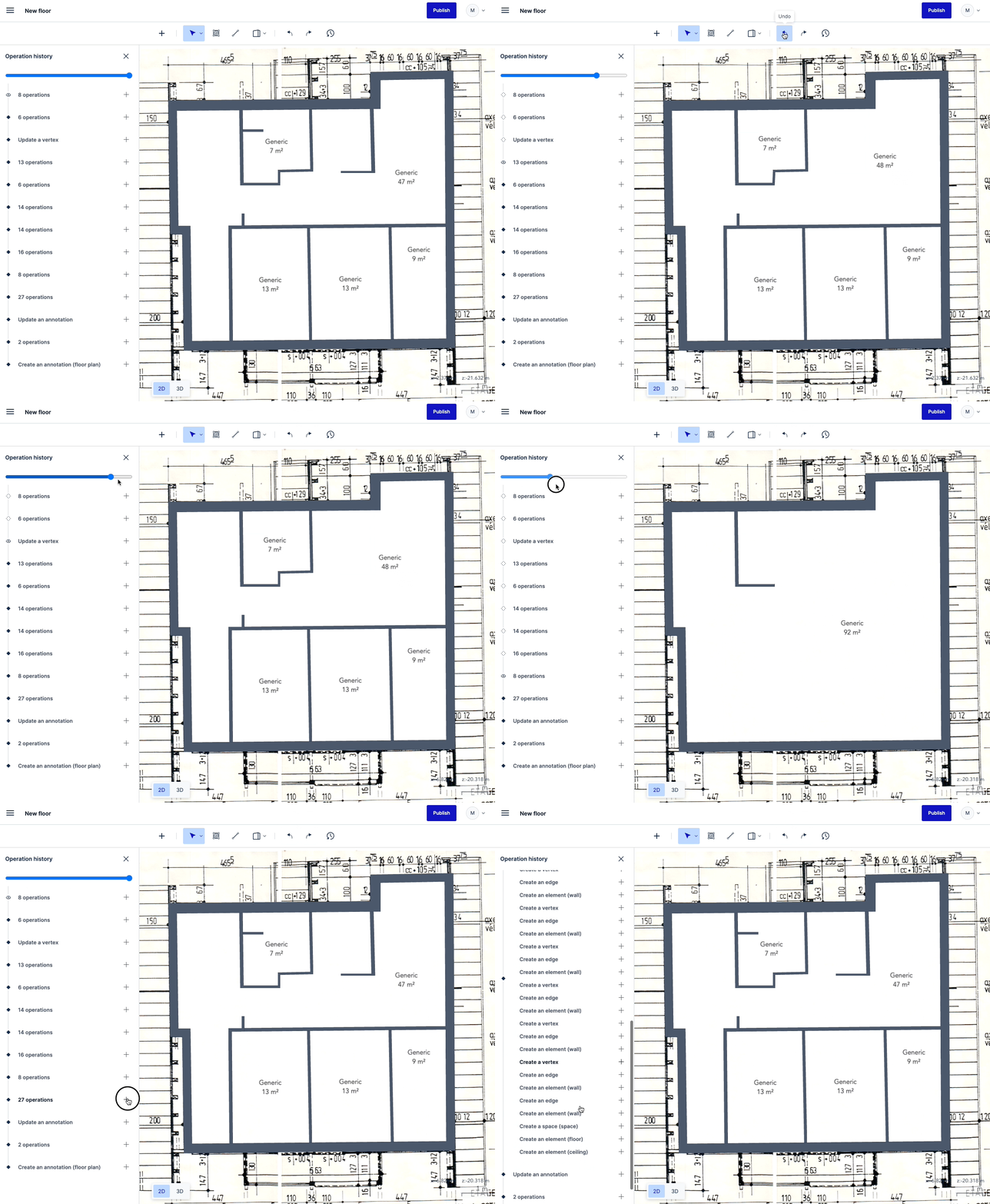
One was routing every change to Space Graph data through undo-redo operations. They are part of the Space Graph SDK, so client apps do not need to know every side effect of, say, deleting a vertex or an edge. As a bonus, they make it easy to replay a user’s actions, which can be quite fun to watch:
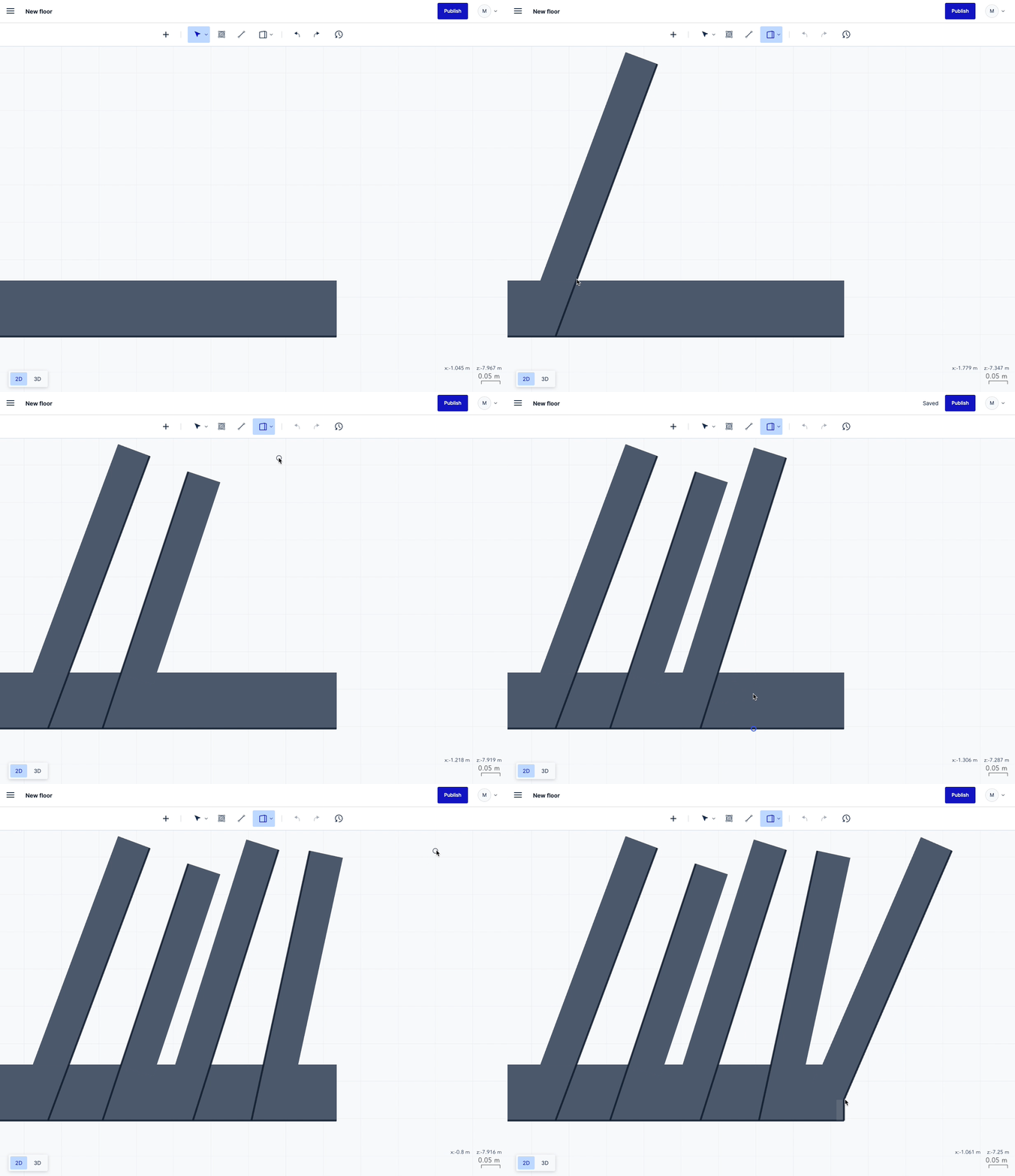
Another big improvement was the way walls are drawn. The graph behind Space Graph should stay as simple as possible, with as few vertices as possible, so we added several snapping behaviors:
Fun with code
Wall snapping was one of many interactions that were a pleasure to build. I had done little graphics programming since my studies twenty years earlier, and it was what I enjoyed most back then.
A feature requested for years was box selection: the user draws a rectangle, and everything inside it gets selected, as in every drawing app. In a couple of days, I built it using object-aligned and axis-aligned bounding boxes and RBush, a 2D spatial index:
selectCandidates() {
  if (!this.selectionRectangle) {
    return
  }
  this.selectedNodeIds = new Set<string>()
  const selectionRectangleMinX = this.selectionRectangle[0][0]
  const selectionRectangleMinY = this.selectionRectangle[0][1]
  const selectionRectangleMaxX = this.selectionRectangle[2][0]
  const selectionRectangleMaxY = this.selectionRectangle[2][1]
  // find intersections of the selection rectangle with axis-aligned bounding
  // boxes of layout nodes
  const candidatesAfterFirstPass: SelectionCandidate[] = this.spatialIndex.search({
    minX: selectionRectangleMinX,
    minY: selectionRectangleMinY,
    maxX: selectionRectangleMaxX,
    maxY: selectionRectangleMaxY
  })
  // first pass: non-rotated layout nodes are final matches
  //
  // Non-rotated layout nodes have identical axis-aligned and object-aligned
  // bounding boxes, so we know for sure that they have to be selected
  const candidatesForSecondPass: SelectionCandidate[] = []
  for (const selectionCandidate of candidatesAfterFirstPass) {
    if (selectionCandidate.isAxisAligned) {
      this.selectedNodeIds.add(selectionCandidate.nodeId)
    } else {
      candidatesForSecondPass.push(selectionCandidate)
    }
  }
  // second pass: layout nodes with their axis-aligned bounding boxes entirely
  //              inside the selection rectangle are final matches
  const candidatesForThirdPass: Partial<SelectionCandidate>[] = []
  for (const selectionCandidate of candidatesForSecondPass) {
    const rectangleContainsCandidate =
      selectionRectangleMinX <= selectionCandidate.minX &&
      selectionCandidate.maxX <= selectionRectangleMaxX &&
      selectionRectangleMinY <= selectionCandidate.minY &&
      selectionCandidate.maxY <= selectionRectangleMaxY
    if (rectangleContainsCandidate) {
      this.selectedNodeIds.add(selectionCandidate.nodeId)
    } else {
      candidatesForThirdPass.push({
        objectAlignedBoundingBox: selectionCandidate.objectAlignedBoundingBox,
        nodeId: selectionCandidate.nodeId
      })
    }
  }
  // third pass: layout nodes with an intersection between the edges of their
  //             object-aligned bounding box and the edges of the selection
  //             rectangle are final matches.
  //
  // This effectively means that there is an intersection between the selection
  // rectangle and the layout node’s object-aligned bounding box
  for (const selectionCandidate of candidatesForThirdPass) {
    if (this.rectangleAndCandidateIntersect(selectionCandidate.objectAlignedBoundingBox || [])) {
      this.selectedNodeIds.add(selectionCandidate.nodeId)
    }
  }
  if (this.selectedNodeIds.size === 0) {
    this.emit('unselectAll')
  } else {
    this.emit('select', this.selectedNodeIds)
  }
}
The code is surprisingly simple, but it took several iterations to get there. In debug mode, you can see the algorithm at work:
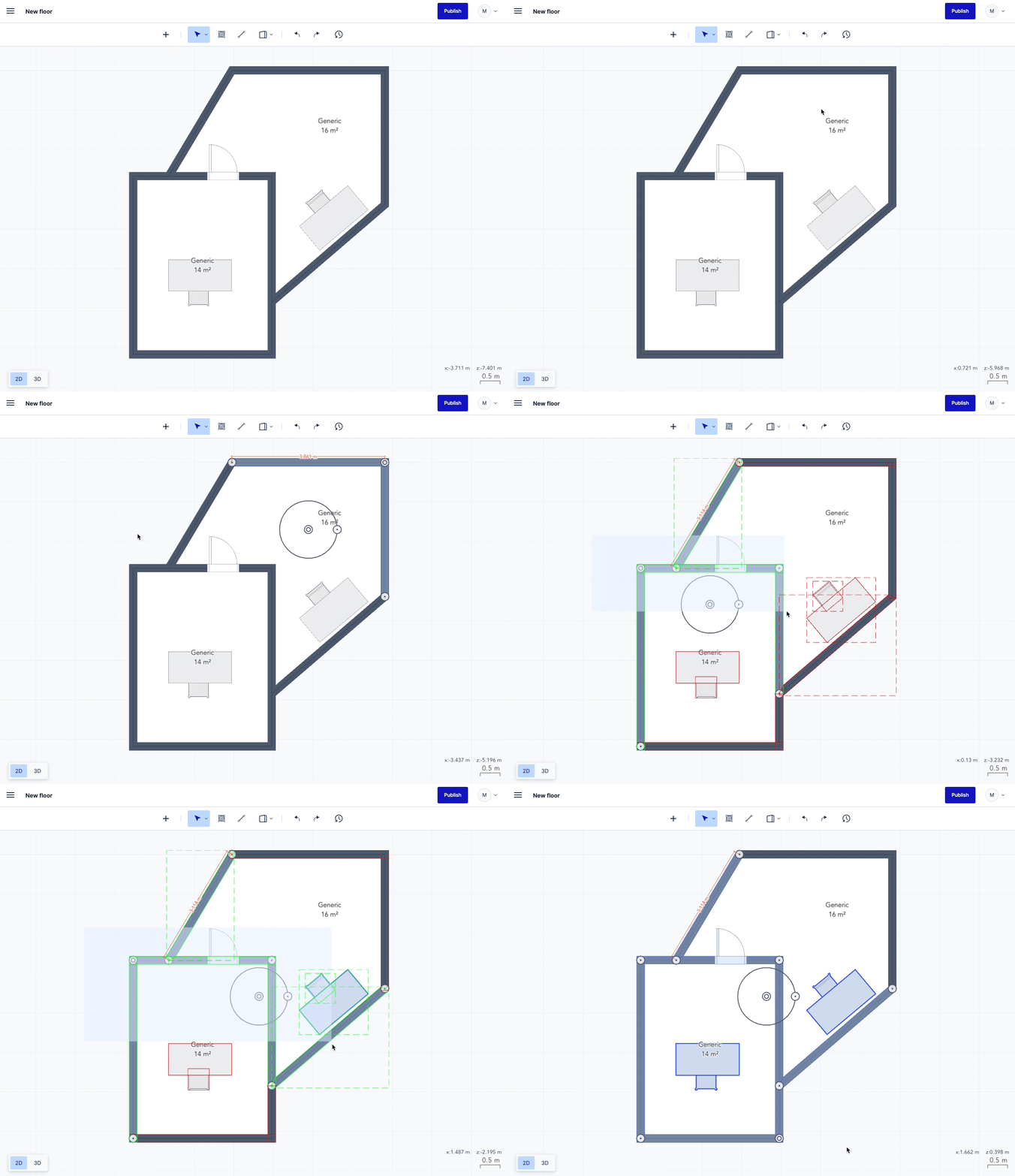
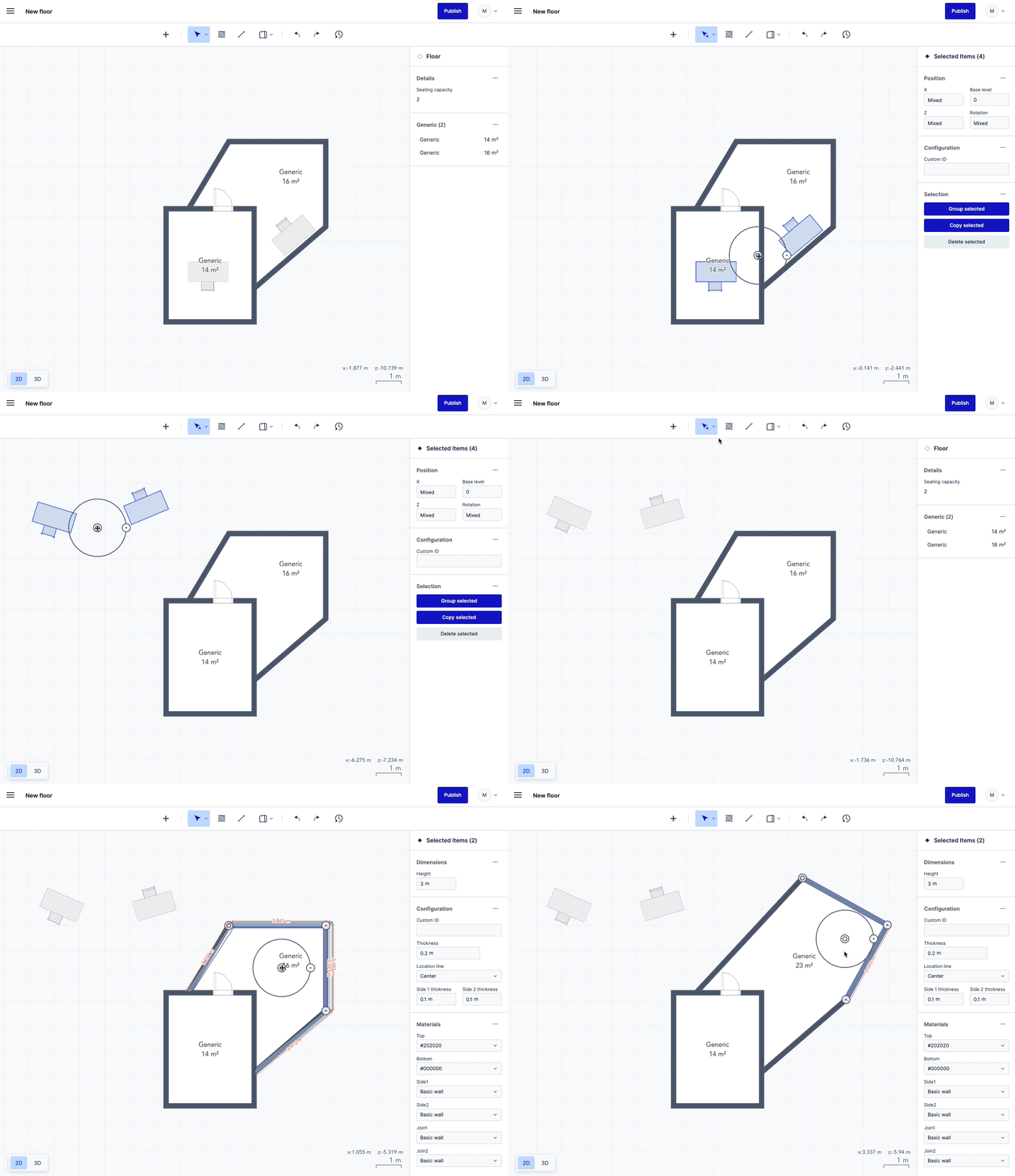
Once users could select several elements, they naturally wanted to move and rotate them. I went one step further and made the rotation center movable. It makes sense for assets like desks and chairs; less so for walls, but it is fun to use:
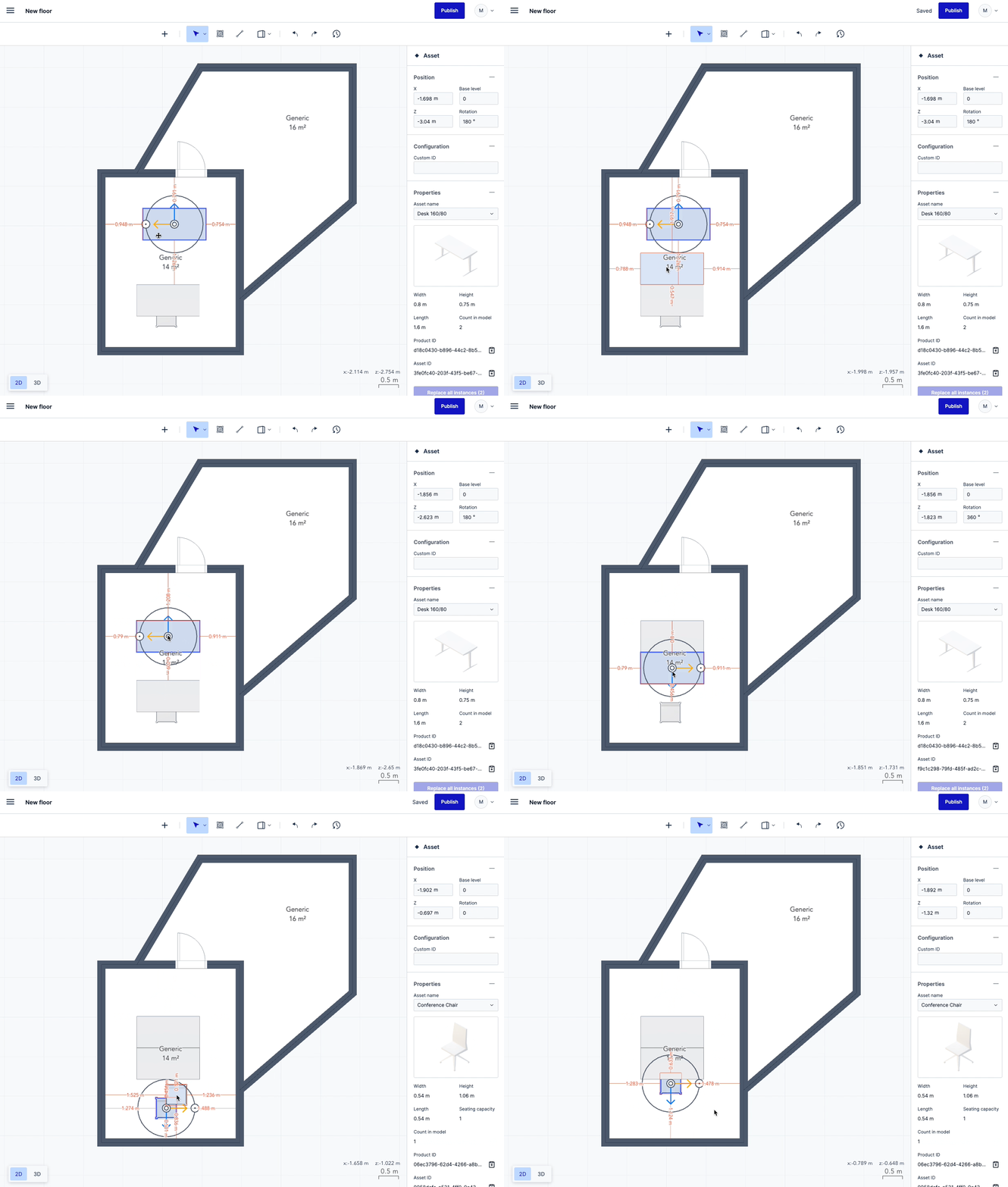
Users also often asked for ways to align assets. The simplest solution is bounding box snapping:
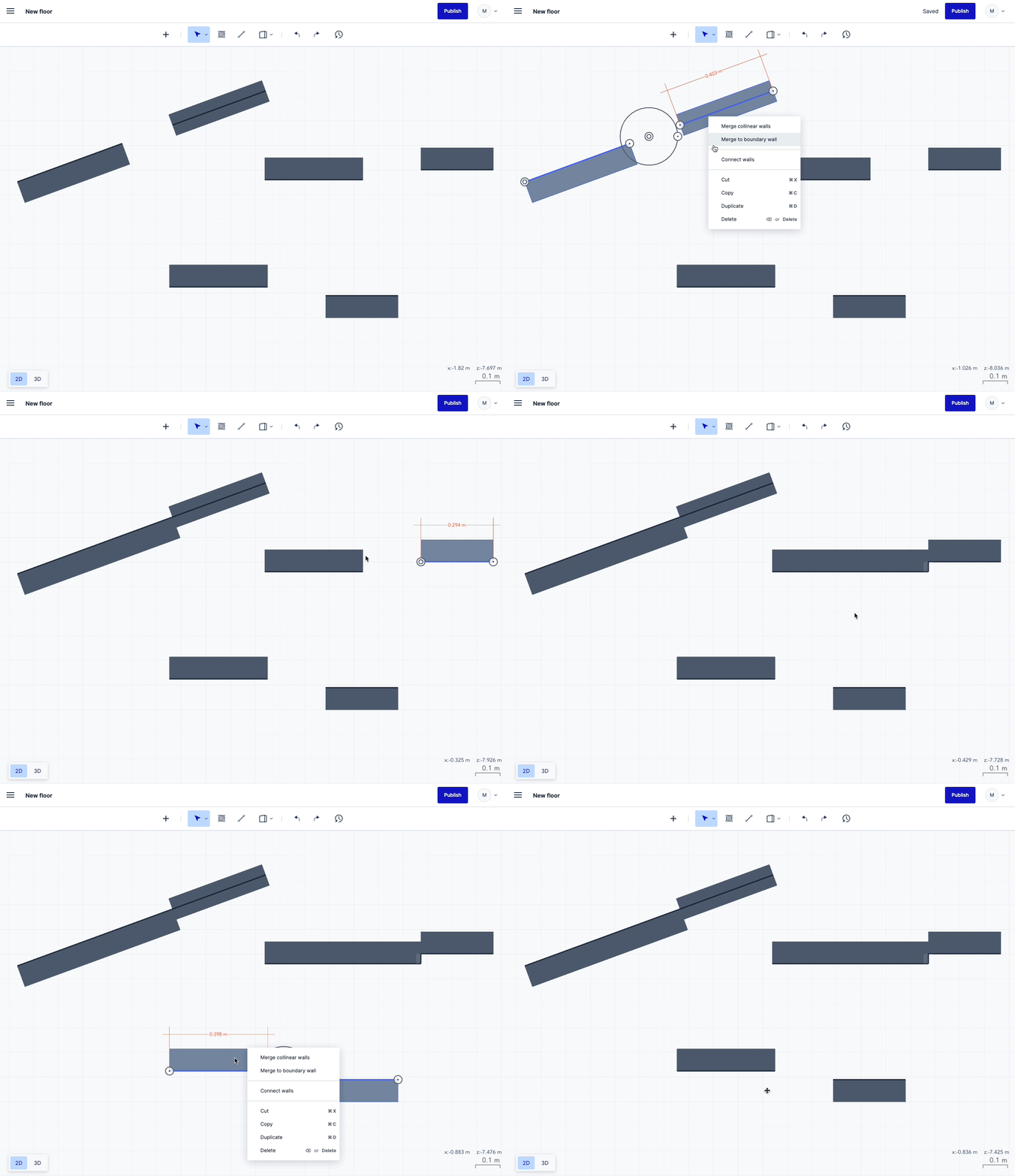
A last example of 2D programming is the wall connection helper. Instead of having users painstakingly position two walls so they meet cleanly, the app does the work:
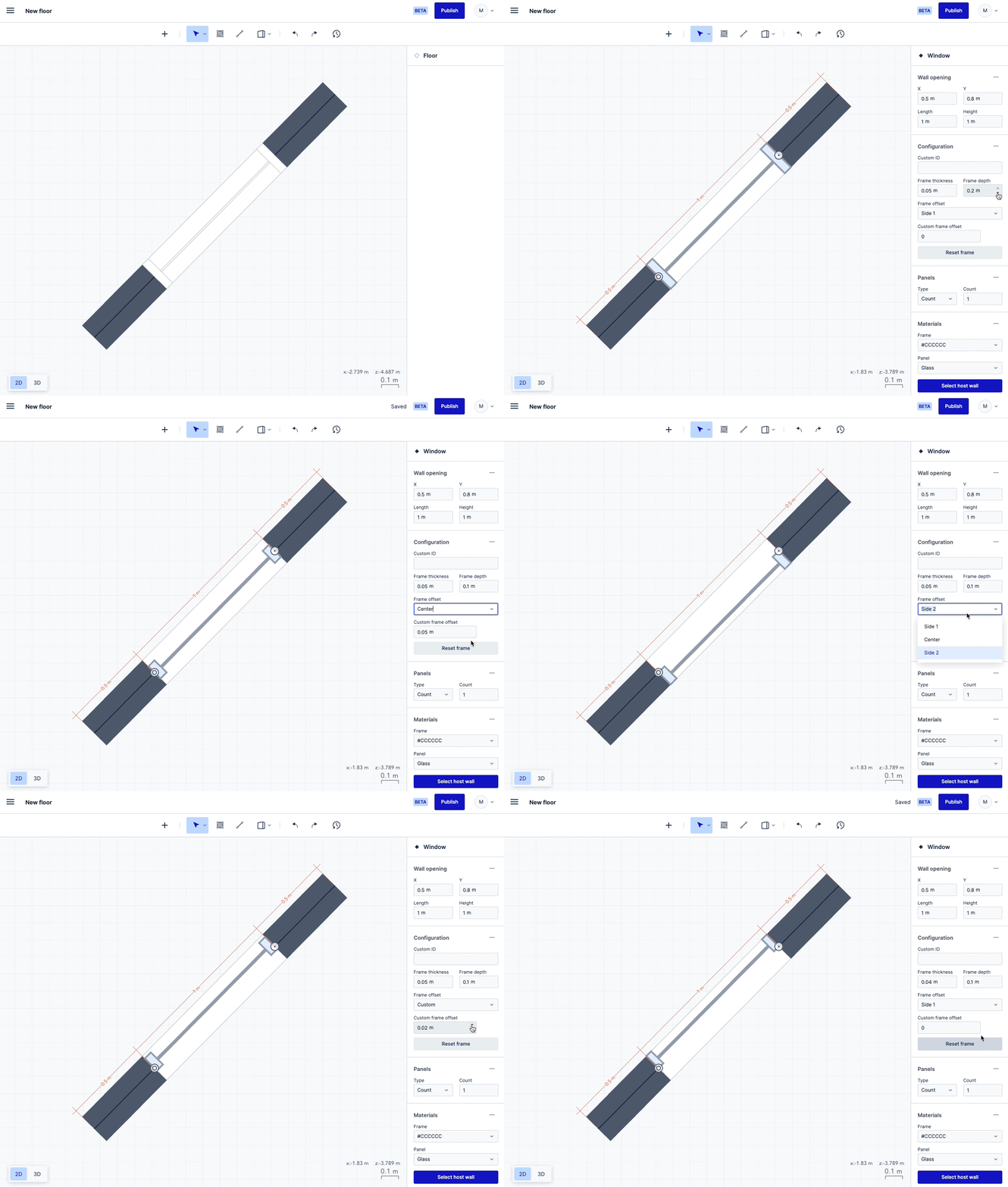
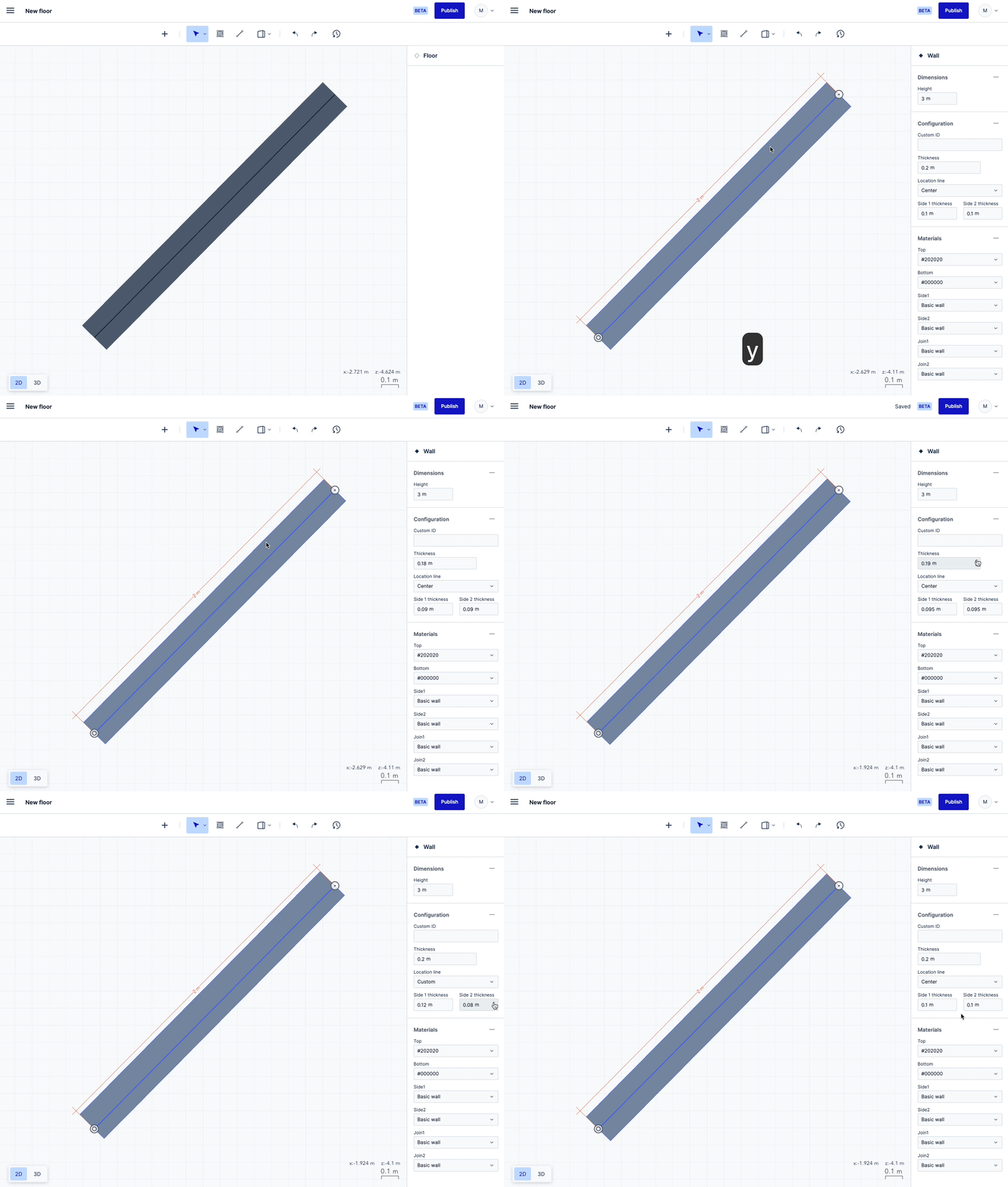
The last two interactions are more typical web app work: positioning window and door frames, and positioning the wall location line:
Fun with visuals
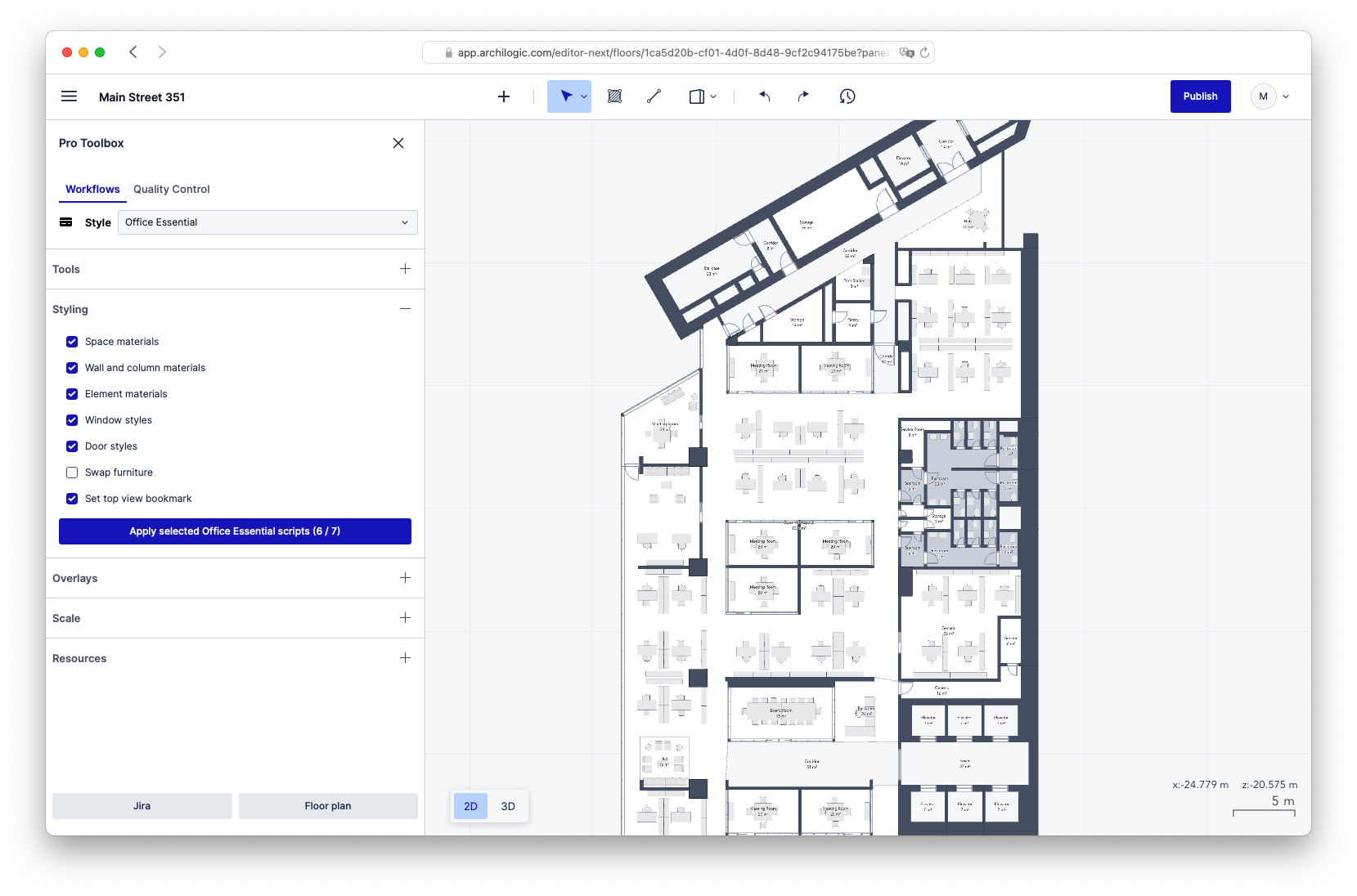
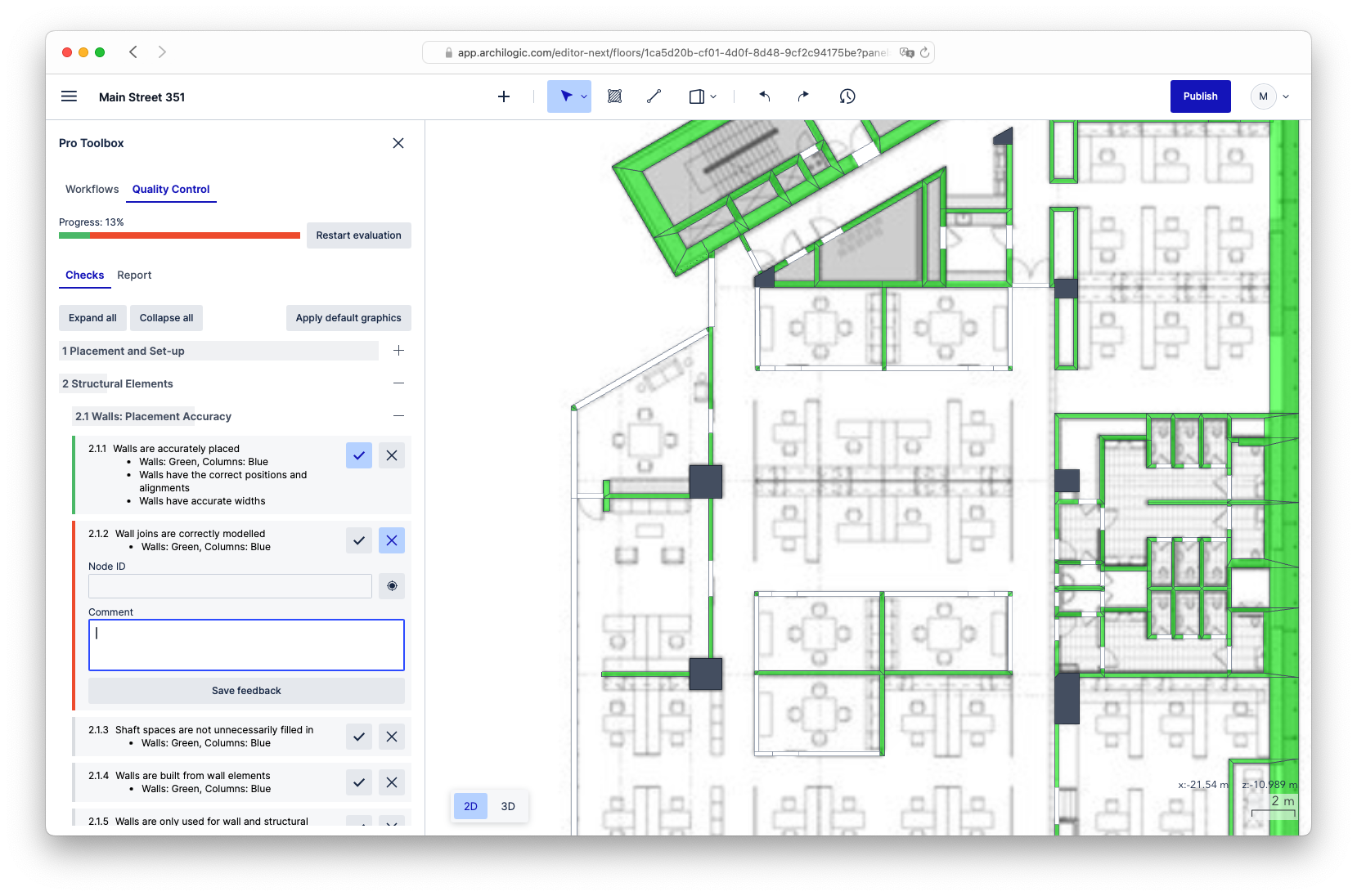
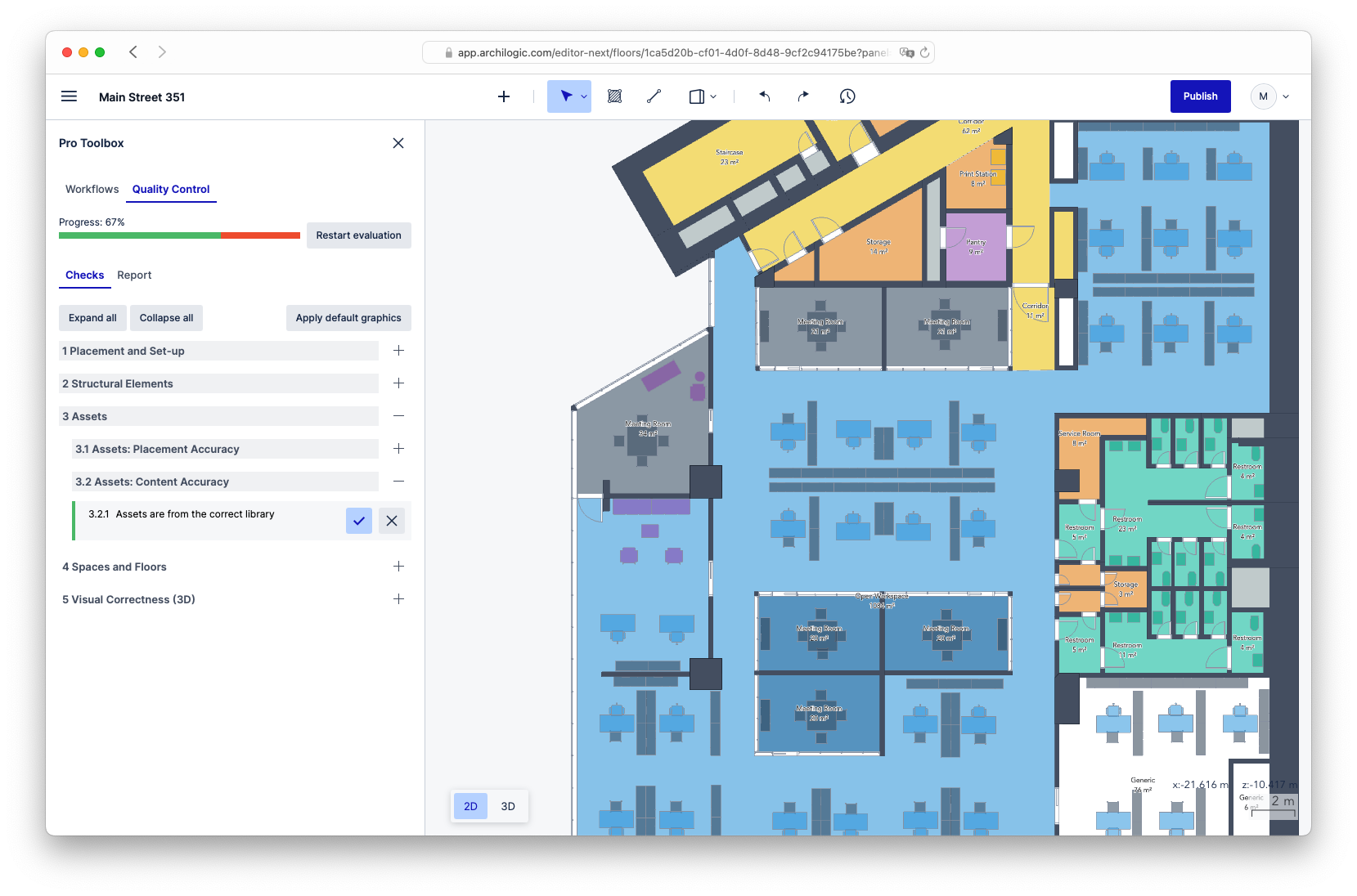
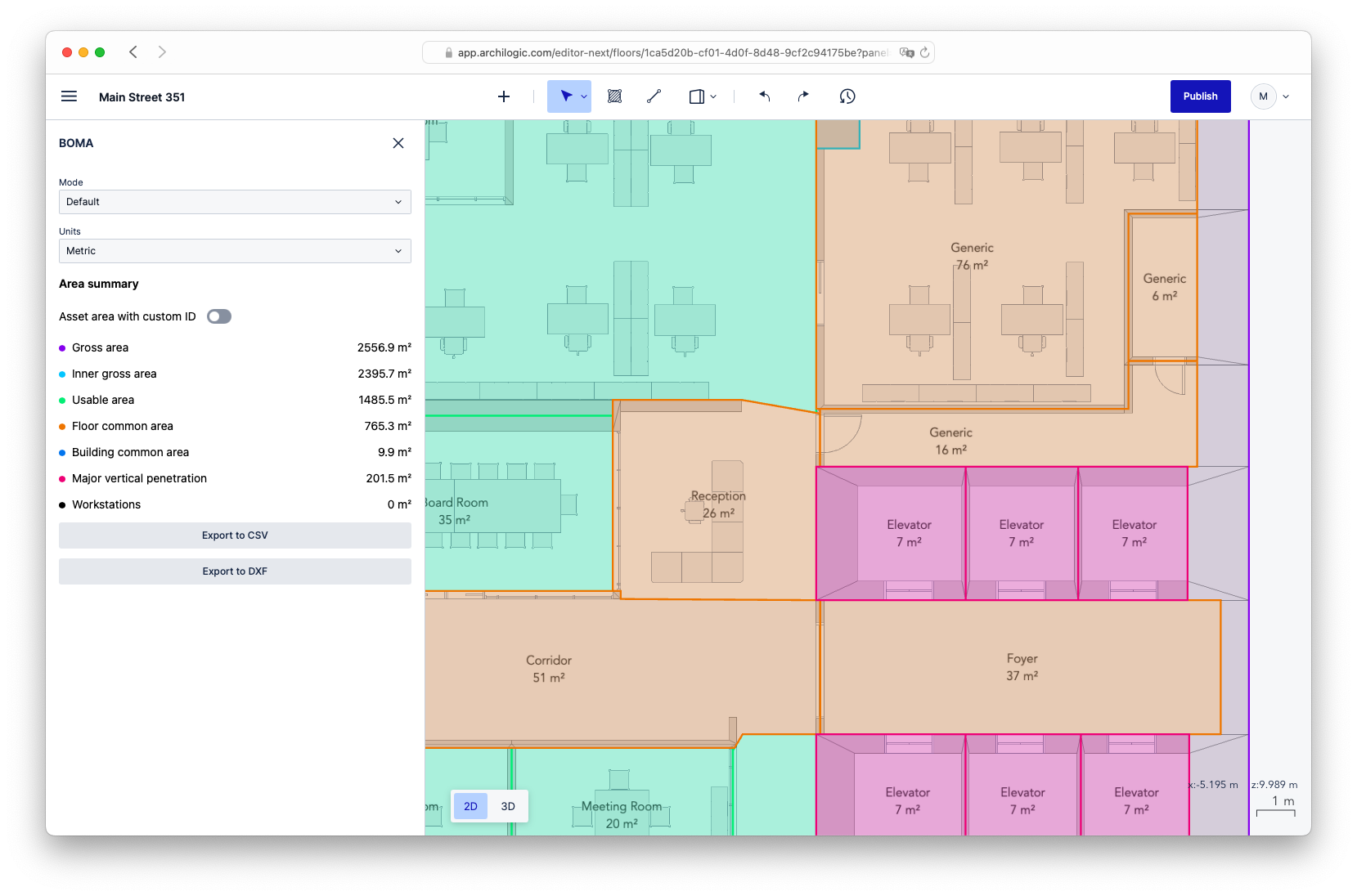
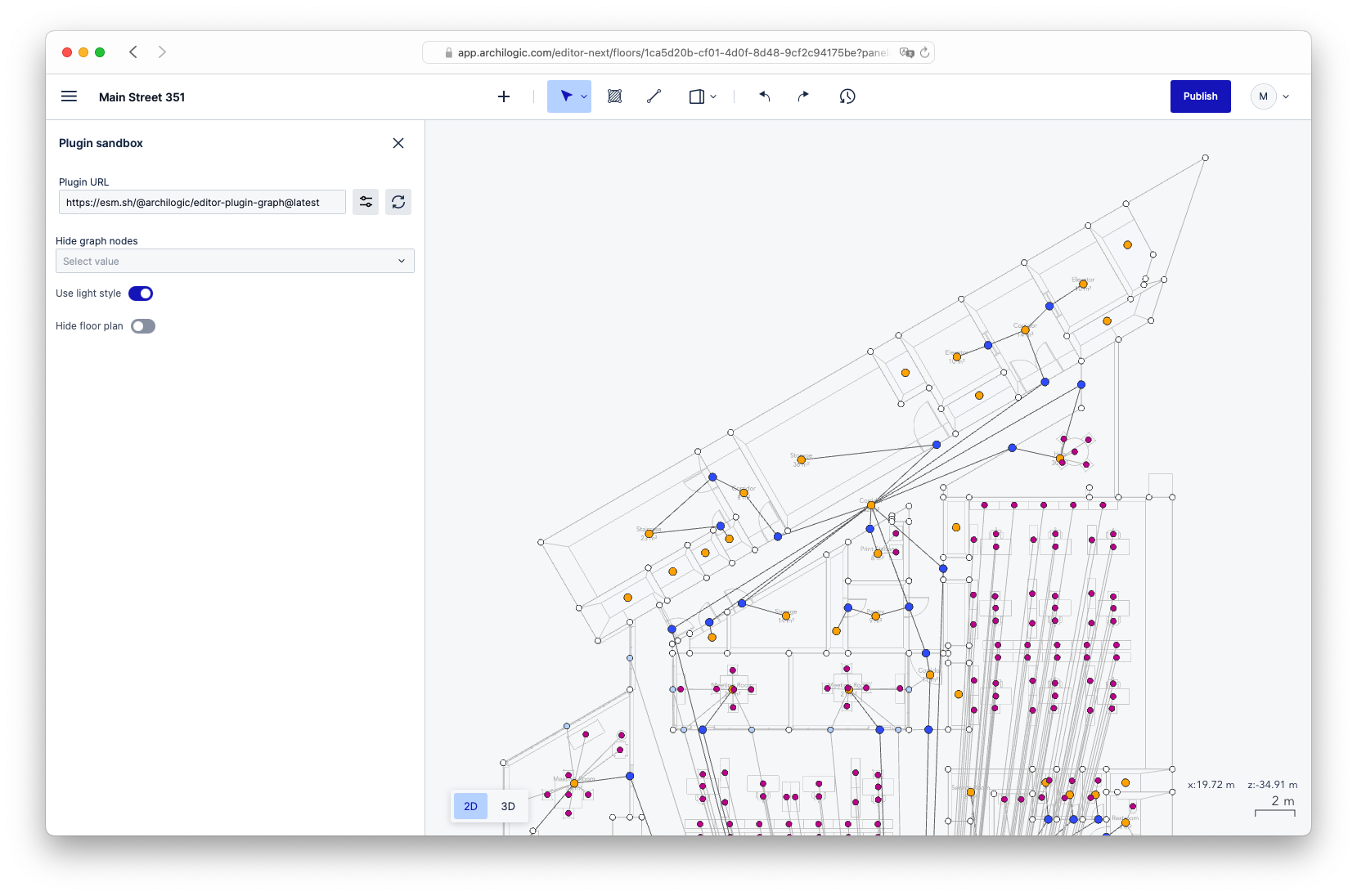
Frontend work brings two kinds of satisfaction: elegant code, and something that is fun to look at. I particularly enjoyed the data visualization side of my work at Archilogic.
Unit tests
Anyone who has worked with me knows that I care about test coverage. I added coverage reporting to the Editor two months after joining, and the numbers were bad. I never reached my 80% goal, but the tests improved a lot:
| When I joined | After 2.5 years | |
|---|---|---|
| Branches | 8% | 53% |
| Functions | 7% | 62% |
| Lines | 10% | 67% |
| Statements | 10% | 66% |
I partly succeeded in getting colleagues to write more descriptive test names, so that tests read like specifications, mostly by leading by example. Some of the nicer ones:
Unit tests for the Quality Control plugin:
QualityControl > renders all progress bars at 0%, 1 opened group and sub-group with 1 active check and 1 unanswered check, 1 closed group and sub-group with 1 unanswered checks, 1 closed group and sub-group with 2 unanswered checks
QualityControl > when skipping to check 2.1.1 and making it pass > renders the overall progress bar at 20%, the group 2 and sub-group 2.1 progress bars at 100%, the other progress bars at 0%, 1 closed group and sub-group with 2 unanswered checks, 1 opened group and sub-group with 1 answered check, 1 opened group and sub-group with 1 active check and 1 unanswered check
QualityControl > when skipping to check 2.1.1 and making it pass > then going back to check 1.1.1 and making it pass > renders the overall progress bar at 40%, the group 1 and sub-group 1.1 progress bars at 50%, the group 2 and sub-group 2.1 progress bars at 100%, the group 3 and sub-group 3.1 progress bars at 0%, 1 opened group and sub-group with 1 answered check and 1 active check, 1 opened group and sub-group with 1 answered check, 1 closed group and sub-group with 2 unanswered checks
QualityControl > when skipping to check 2.1.1 and making it pass > then going back to check 1.1.1 and making it pass > then the check 1.1.2 fails > renders the overall progress bar at 60%, the group 1, sub-group 1.1, the group 2 and sub-group 2.1 progress bars at 100%, the group 3 and sub-group 3.1 progress bars at 0%, 1 closed group and sub-group with 2 answered checks, 1 opened group and sub-group with 1 active and answered check, 1 opened group and sub-group with 2 unanswered checks
QualityControl > when skipping to check 2.1.1 and making it pass > then going back to check 1.1.1 and making it pass > then the check 1.1.2 fails > then the check 3.1.1 fails > renders the overall progress bar at 80%, the group 1, sub-group 1.1, the group 2 and sub-group 2.1 progress bars at 100%, the group 3 and sub-group 3.1 progress bars at 50%, 1 closed group and sub-group with 2 answered checks, 1 closed group and sub-group with 1 answered check, 1 opened group and subgroup with 1 answered check and 1 active check
QualityControl > when skipping to check 2.1.1 and making it pass > then going back to check 1.1.1 and making it pass > then the check 1.1.2 fails > then the check 3.1.1 fails > then the comment on check 1.1.2 is modified, then the user goes back to group 3 and sub-group 3.1 and check 3.1.2 passes, and finally the report is shown > renders a report
Unit tests for the 2D wall connection helper:
ConnectEdgesAction > when there are 2 walls that would intersect if they were longer > connects the walls
ConnectEdgesAction > when there are 2 walls that are on the same line and that would intersect if they were longer > connects the walls
ConnectEdgesAction > when there are 2 walls that are on the same line and that would intersect if they were longer (independent of edge directions) > connects the walls
ConnectEdgesAction > when there are 2 "vertical" walls (all vertices have same x value) that are on the same line and that would intersect if they were longer > connects the walls
ConnectEdgesAction > when there are 2 walls that are on the same line, and that would intersect if they were longer, but there is another wall in-between > does nothing
ConnectEdgesAction > when there are 2 parallel walls with geometries that would not overlap even if the walls were longer > does nothing
ConnectEdgesAction > when there are 2 parallel walls with geometries that overlap > connects the walls via a connector edge
ConnectEdgesAction > when there are 2 parallel walls with geometries that would overlap if the walls were longer > connects the walls via a connector edge
Unit tests for a UI component of the Editor:
Toolbar
  when nobody is logged in
    ✓ renders nothing
  when somebody is logged in
    ✓ renders a menu button
    ✓ does not render an input for the name
    ✓ renders 2 slots
    ✓ renders a user menu button
    then a floor is loaded
      ✓ renders a skeleton loader
      then the floor name is available
        ✓ renders the floor name
        then the name is changed and the saving succeeds
          ✓ calls the API
          ✓ displays a success message
        then the name is changed but the saving fails
          ✓ displays the error
  when somebody with insufficient rights is logged in
    ✓ does not render the 2 slots
ASCII drawings sometimes make tests easier to read. In this test for rotating a selection, three selected points a, b and c (d is not selected) are rotated 90° around point o, ending up at (a), (b) and (c):
/**
 *     ┆
 * ·   ┼   ·   c   ·   ·   ·   ·   ·
 *     ┆
 * ·   ┼   ·   ·   ·   ·   ·   ·   ·
 *     ┆
 * ·   a   · (a)b  ·   ·   ·   ·   ·
 *     ┆
 * ·   ┼   o   ·   ·   ·   ·   ·   ·
 *     ┆
 * ┼┄┄┄┼┄┄┄┼┄┄(b)┄┄┼┄┄(c)┄┄┼┄┄┄d┄┄┄┼
 *     ┆
 */
And this one illustrates the bounding box calculation tests:
/**
 *      ┆
 *  ·   ┼   ·   x   ·   ·
 *      ┆     ⟋   ⟍
 *  ·   ┼   x   ·   ⟍   ·
 *      ┆     ⟍       ⟍
 *  ┼┄┄┄┼┄┄┄┼┄┄┄⟍┄┄┄┼┄┄┄x
 *      ┆         ⟍   ⟋
 *  ·   ┼   ·   ·   x   ·
 *      ┆
 */
One thing I did not get to was improving the overall architecture. The UI could be decoupled further from the core logic, and state management could be improved.
Kudos
Many thanks to the people I worked most closely with:
- Frederic, the mind behind many of the high-level concepts in Space Graph and 2D editing, who also wrote much of the now-legacy Scene Structure format and 2D editing code
- Stavros, the other mind behind Space Graph and its main contributor
- Ben, the frontend team lead, who helped me a lot with infrastructure and code reviews
- Eimhin, the Editor’s product owner, who brought deep industry knowledge and many good ideas, for wall snapping and window and door positioning among others